
How Trade Link works
What is Trade Link, and how does an order get from my quote to another shop's floor?
- For
- Owners and managers, buying or making
- Where to find it
- SidebarPurchasingTrade Link
- Takes
- 3 minutes to read
- You need
- Trade Link switched on for your shop. It is opening up shop by shop, so ask us if you cannot see it
What it is for
A shop that makes something well can sell it to other shops. A shop that does not make it can quote it, put it on their store and sell it under their own name. When it sells, the maker gets an order and accepts it, and a normal job turns up filled in.
After this you can
- Know the six steps of a Trade Link sale
- Know what each shop can and cannot see of the other
- Find your way around the five Trade Link tabs
What is on this screen
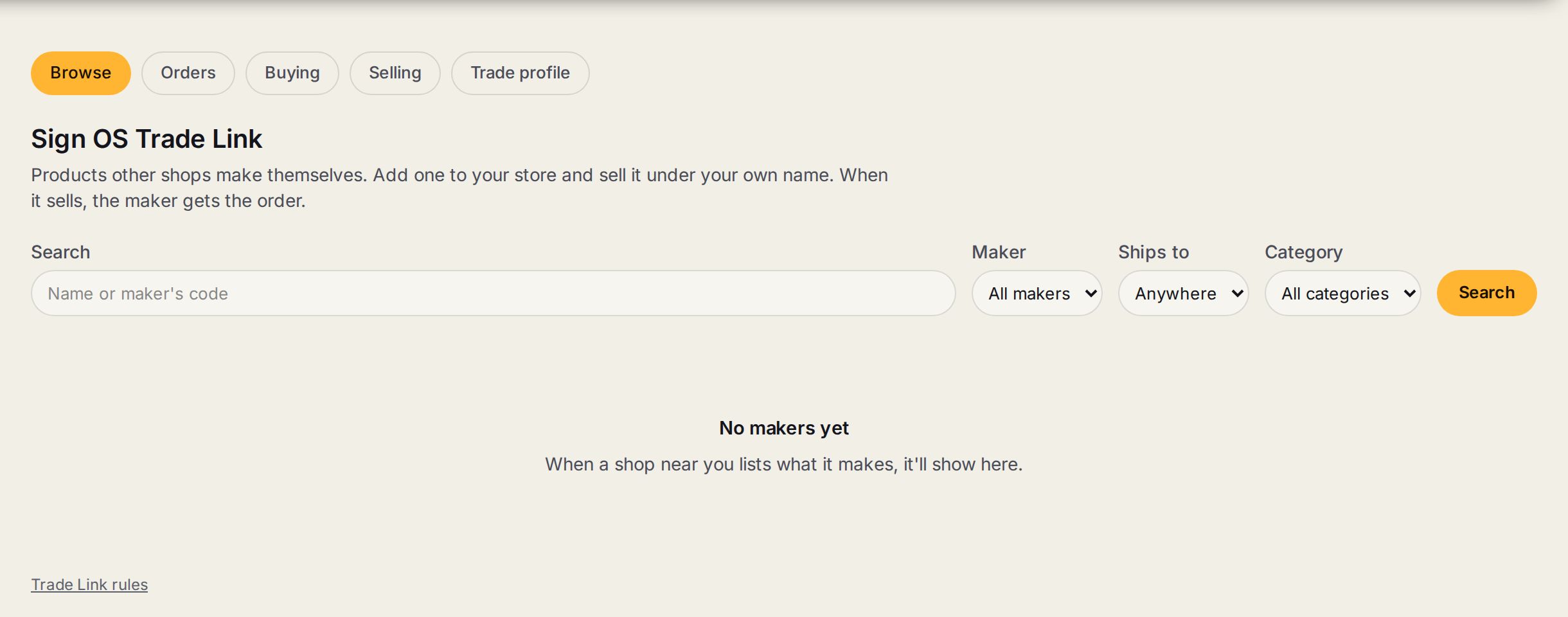
- 1Browse, Orders, Buying, Selling, Trade profileFind products. Orders sent and received. The makers you buy from. What you list. Who you are to other shops.
- 2SearchFind a product by its name or the maker's code.
- 3Maker, Ships to, CategoryNarrow it to one maker, makers who ship to your state, or one kind of product.
- 4Trade Link rulesThe rules every shop on Trade Link agrees to. The link is at the bottom of every Trade Link screen.
How a sale runs
- 1
A maker lists a product
Sign OS checks they make it, and it shows up for other shops to browse.
- 2
A buyer asks for access
Once the maker approves them, the buyer sees the live trade price and adds the product to their catalogue.
- 3
The buyer quotes it
Like any other product, at their own markup. The maker's name is not on anything the client sees.
- 4
The quote becomes a job
A draft order waits for the maker. The buyer checks it and presses Send to the maker.
- 5
The maker accepts
They get a normal job with the wording, sizes and files on it, and their own recipe does the work on the floor.
- 6
Status comes back
It shows on the buyer's production board, on one step called With the maker.
Words on this screen
Maker
The shop that makes the product.
Buyer
The shop that sells it to their own client.
Trade price
What the maker charges the buyer. It is the only figure of the maker's that the buyer sees.
Linked product
A maker's product sitting in a buyer's catalogue.
Tip
Prices are live. When a maker's costs or prices change, every linked product changes with them.
Watch out
A maker's recipe, stock and labour never reach a buyer. The buyer sees one trade figure and that is all.
Sign OS is not part of the sale and takes no fee. The two shops invoice and pay each other the way they normally would.
Common questions
Does my client know who made it?
No. Quotes, the store and delivery paperwork carry the buyer's name.
Can I be a maker and a buyer?
Yes. Buying needs the first part of the trade profile. Selling needs the rest, and approval as a manufacturer.