
Sell a linked product on your store
Can I sell another shop's product on my online store?
- For
- Buyers with an online store
- Where to find it
- SidebarCatalogueopen the linked productOn your store
- Takes
- A minute a product
- You need
- Trade Link switched on for your shop. It is opening up shop by shop, so ask us if you cannot see it
What it is for
A linked product can go on your online store with its own switch. Your client buys from you and never sees the maker.
After this you can
- Put a linked product on your store
- Know what happens when a client buys it
- Let clean store orders send themselves
Before you start
- Your wording and picture are how you want them on your store.
The Buying screen
This is the screen before you trade with anyone. It fills in once you have a maker.
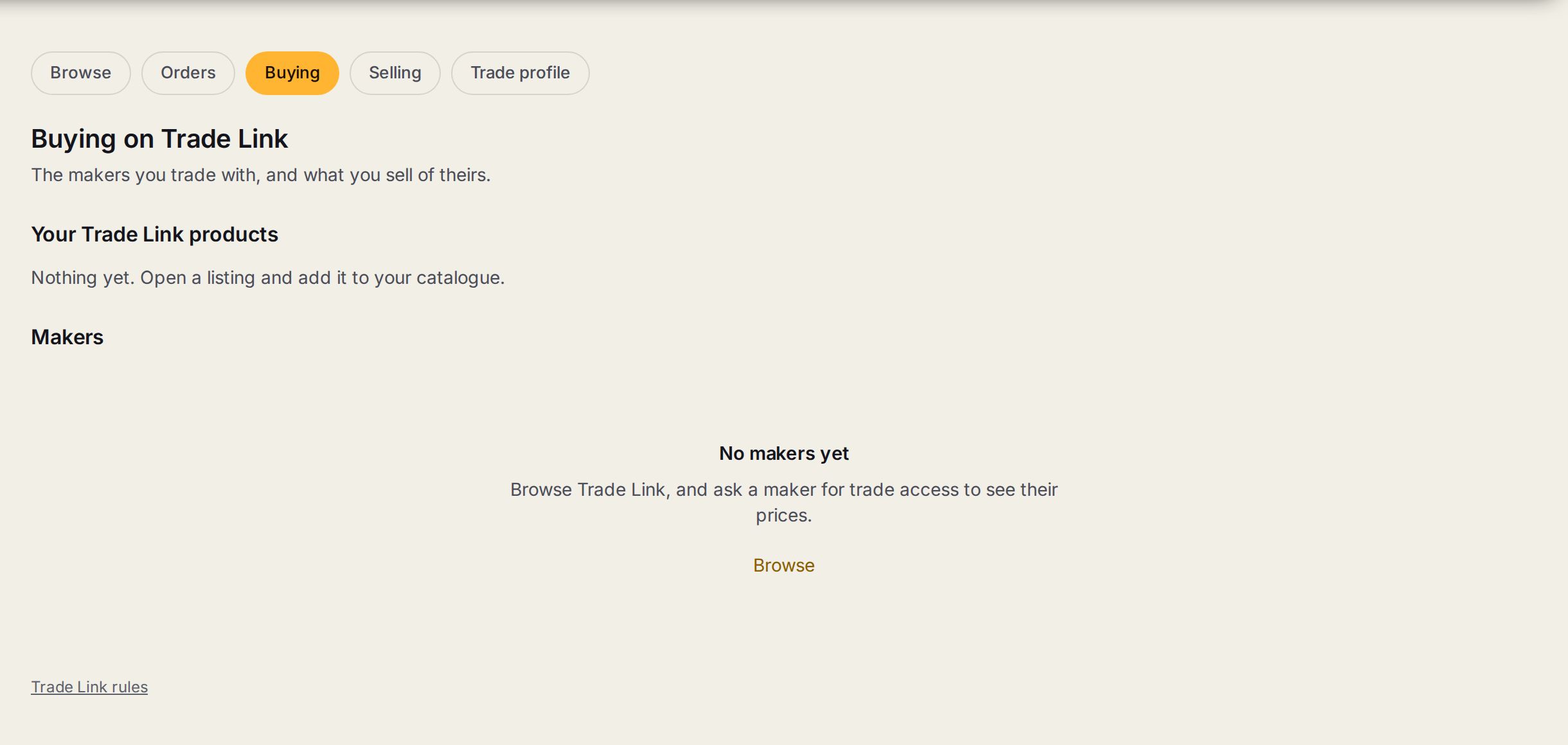
- 1BuyingThe tab for the makers you trade with and what you sell of theirs.
- 2Your Trade Link productsThe makers' products you have added to your own catalogue.
- 3MakersThe shops you have trade access with.
- 4BrowseOpens the listings, where you ask a maker for trade access.
Step by step
- 1
Find On your store
Open the product and find On your store. It tells you anything to know first, like wording that is the same as the maker's.
- 2
Switch it on
Press Put it on my store.
- 3
A client buys it
You get your job as normal, with a draft order for the maker on it.
- 4
Send the order
Check the draft and press Send to the maker. Or tick Send store orders to the maker by themselves on your trade profile.
When a store order waits for you, even with sending switched on
| What | Why |
|---|---|
| No artwork yet | The maker cannot start without it. |
| A date that will not work | The maker's lead time is longer than the client was told. |
| Typed wording | Wording is read by a person before it is made. |
| A change of price | The maker's price has moved since the sale. |
| A sale below what the maker charges | You would lose money on it. |
Tips
The price on a product page and at checkout is live. The price on a product card can run about 20 minutes behind.
Your store's delivery comes from your own rates. What the maker charges you for freight may be different.
Watch out
Products with typed wording cannot go on a store yet, because the store does not ask for it.
If the maker pauses or their price jumps, the store says ask for a quote and does not show an old price.
A client who has paid is your client. If a maker declines a paid order you get a loud alert, and it is yours to make another way or refund. Sign OS never refunds by itself.