
Purchasing & contractors28 of 28How-to
When a Trade Link order goes wrong
A Trade Link order has gone wrong. What do I do, and who decides?
- For
- Buyers and makers
- Where to find it
- SidebarPurchasingTrade LinkOrdersopen the order
- Takes
- A few minutes
- You need
- Trade Link switched on for your shop. It is opening up shop by shop, so ask us if you cannot see it
What it is for
Everything that goes wrong goes on the order, so both shops see the same record.
After this you can
- Know what to do for each kind of problem
- Report a fault on the order
- Know what Sign OS will and will not do
The Trade Link rules
Trade LinkTrade Link rules
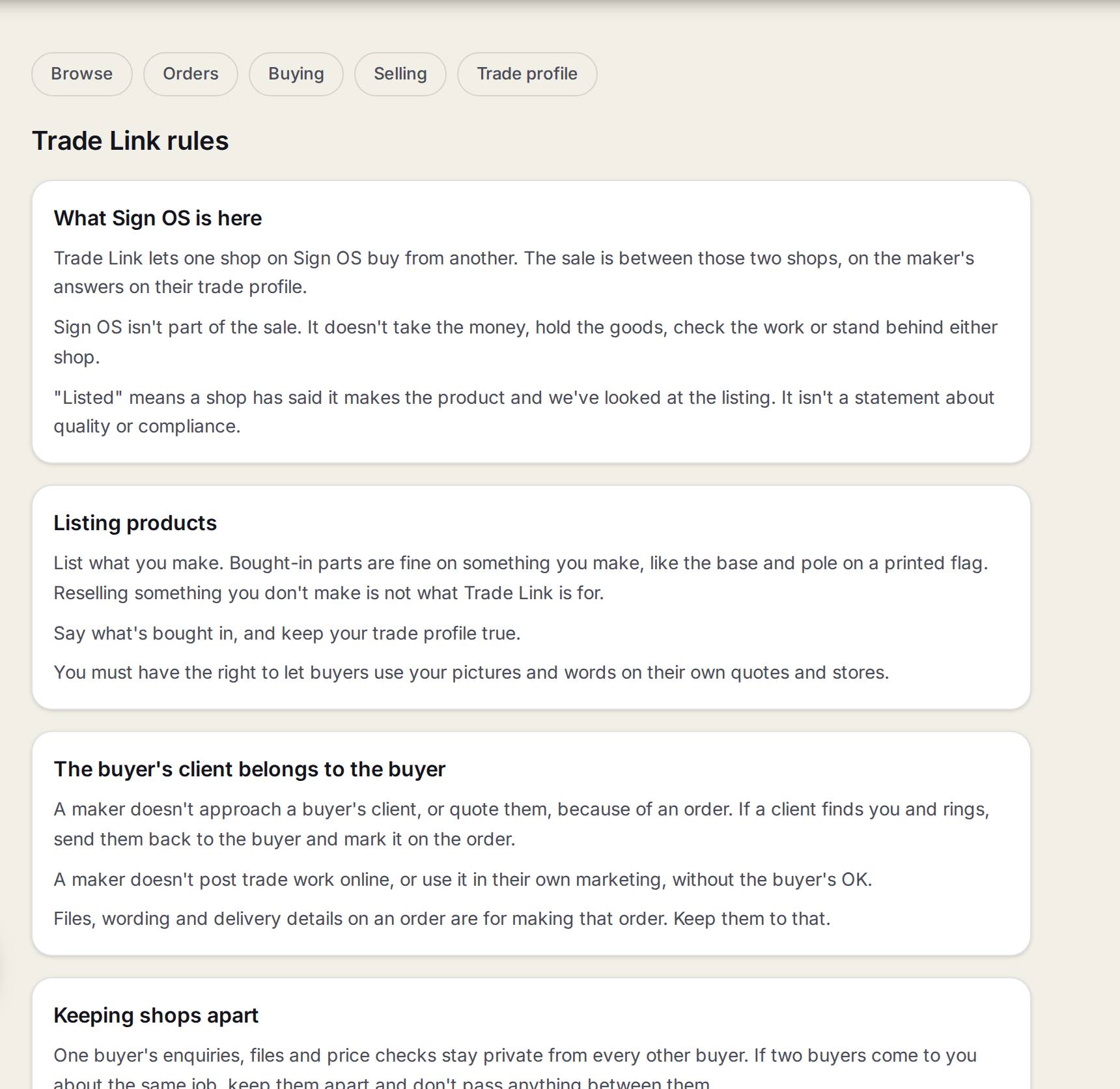
- 1Trade Link rulesWhat every shop on Trade Link agrees to. The link is at the foot of each Trade Link screen.
- 2What Sign OS is hereThe sale is between the two shops. Sign OS doesn't take the money, hold the goods or stand behind either shop.
- 3Listing productsList what you make, and say what is bought in.
- 4The buyer's client belongs to the buyerA maker doesn't approach or quote a buyer's client because of an order.
- 5Keeping shops apartOne buyer's enquiries, files and prices stay private from every other buyer.
Reporting a fault
- 1
Open the order
Go to Trade Link, Orders, and open the order.
- 2
Report it
Press Report a problem. Say what is wrong and how many.
- 3
The maker answers
If they agree, they get a remake job and the order shows it going through again.
What to do, by problem
| What happened | What to do |
|---|---|
| The maker declined | The job stays, and you see why. Order it again, or make it another way. |
| You need to cancel | Before they accept, it just cancels. After that it is a request: they might say no, or say what it will cost. |
| A sign is wrong | Report a problem on the order. |
| The maker does not agree it is a fault | It stays on the record and it is between the two of you. |
| Your orders are on hold | The maker has stopped them, usually over a bill. Talk to them. |
| A maker leaves Sign OS | Their products stop being offered. Orders already going stay on your list so you can finish them off. |
Watch out
Sign OS never moves money, refunds anyone or decides who is right. It keeps the record.
Common questions
The other shop is breaking the rules. Who do I tell?
Press Report a problem to Sign OS on the order.
Where to next
Also found by searchingtrade linkproblemremakefaultcanceldeclineholddispute