
Remake something that went wrong
Raise a rework: which signs, how many, why. No charge to the customer, cost recorded.
What this is for
Signs get made wrong. A rework is a job for making some of them again — the customer is not charged, but the cost of getting it wrong is recorded, so you know what mistakes cost and which ones repeat.
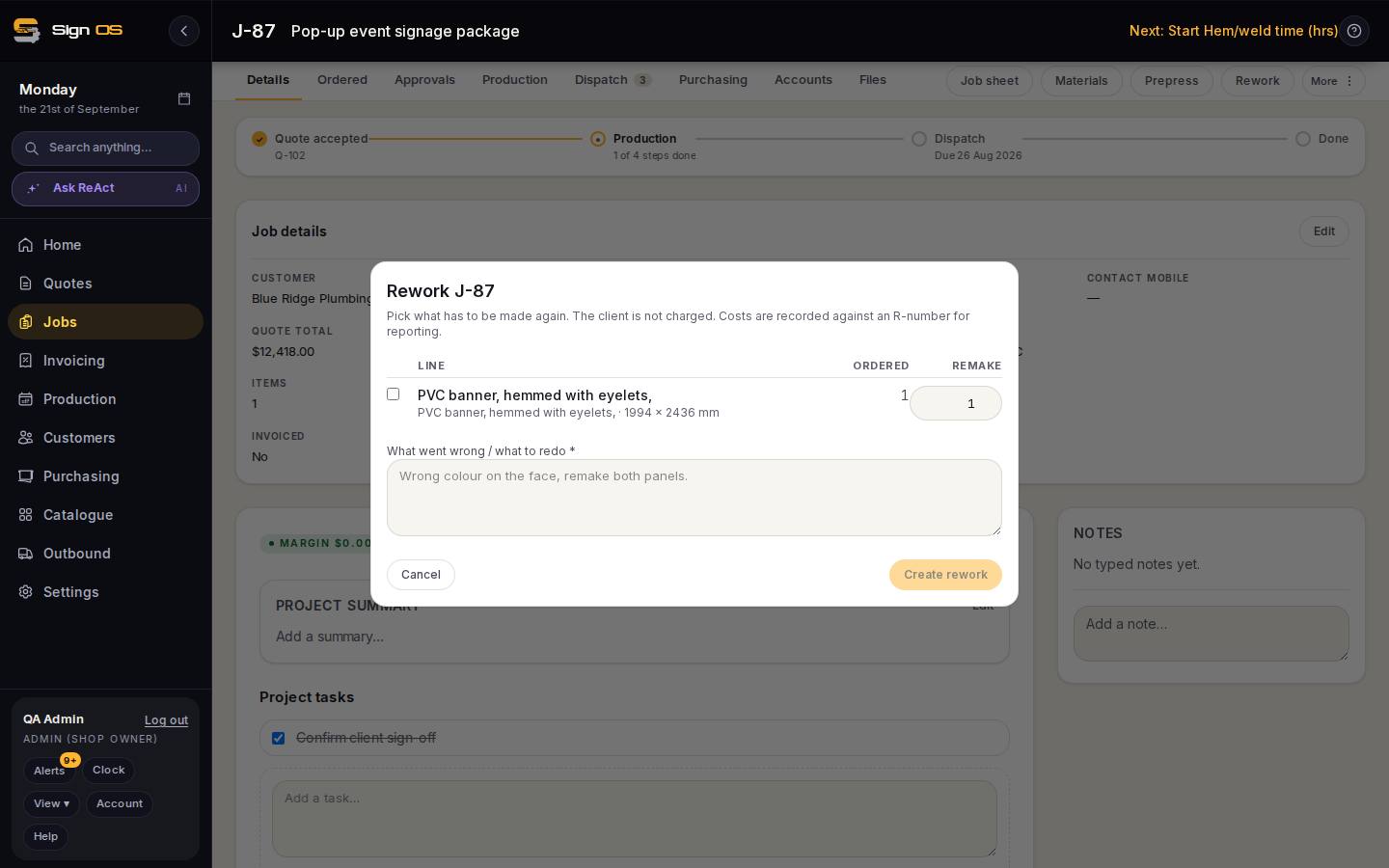
What is on this screen
Each part of the screen above, top to bottom, and what changing it affects.
Rework dialog
- Line · Ordered · Remake
- Tick the lines to remake; Remake defaults to everything ordered.
- What went wrong / what to redo
- Required. Prints on the R-number's page.
- Cancel · Create rework
- Create makes the R-numbered job and opens it; the original shows Reworks: R-… .
Step by step
- 1
Open the original job and press Rework in the tab bar (under More on a narrow screen). The Rework dialog says it plainly: the client is not charged, costs are recorded against an R-number for reporting.
- 2
Tick the lines to rework. They start unticked so a rework is a deliberate choice; Remake defaults to everything ordered, because 'make the lot again' is the common case. Change it if only some are wrong.
- 3
Say what went wrong or what to redo — 'Wrong colour on the face, remake both panels'. It is required.
- 4
Create rework. A new job with an R number opens, headed 'Rework of J-… · not invoiced' with the reason, so the first thing anyone reads is that the customer is not paying. The original job shows 'Reworks: R-12' and links to it.
- 5
Run the rework like any job — it has its own steps on the floor. Its labour and materials land as production cost against the original's Accounts tab.
Tips & gotchas
- Reworks are the quiet cost in a sign shop. The Reports screen can total them; a month with several in one department is a training conversation, not a rostering one.