
Take card payments through Stripe
Connect your own Stripe account so customers can pay an invoice by card.
What this is for
Connect your own Stripe account and you can email a customer an invoice they pay by card from a link, and your online store can take payment at checkout. The money settles straight into your Stripe balance. Sign OS never touches it and takes no cut.
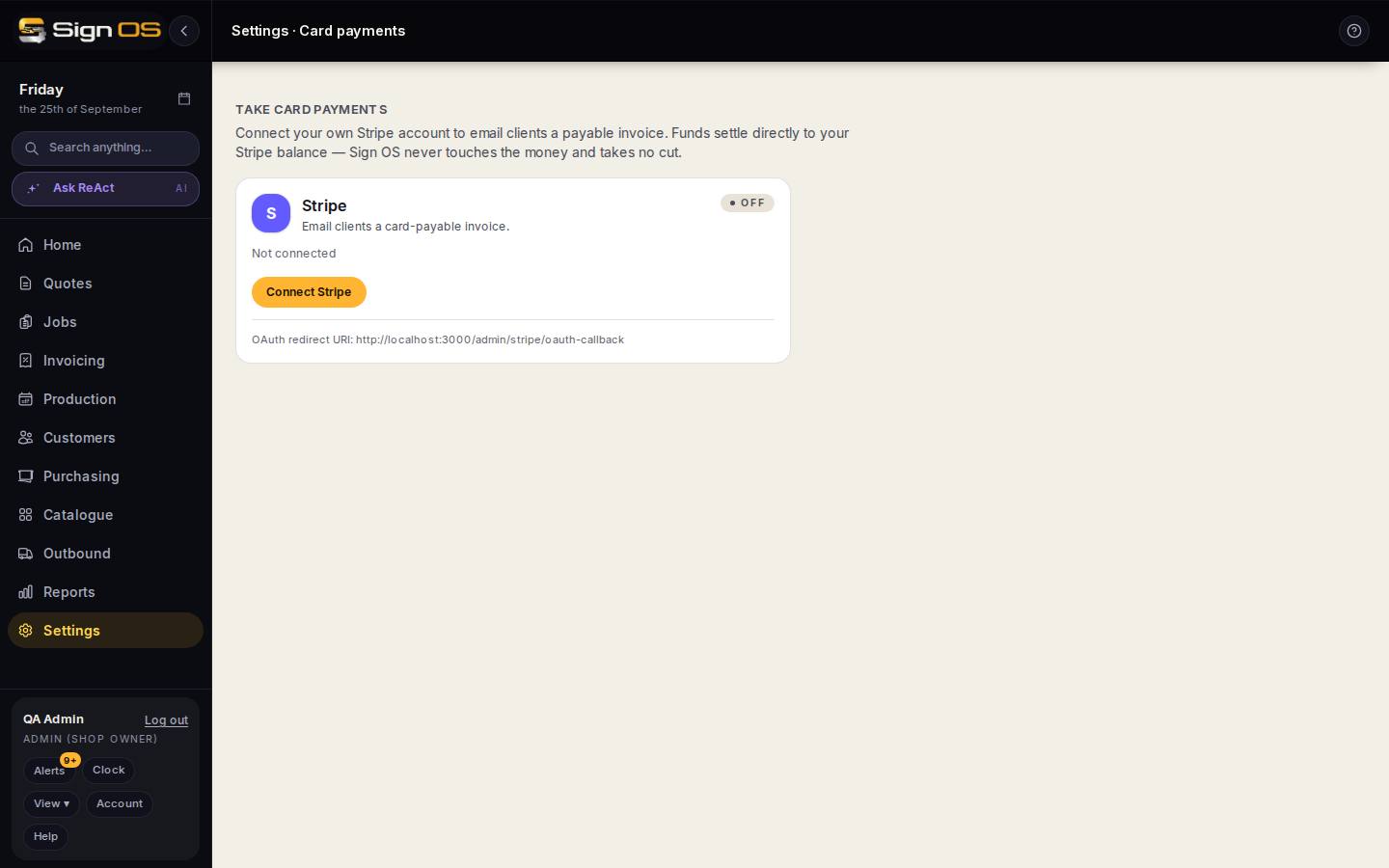
What is on this screen
Each part of the screen above, top to bottom, and what changing it affects.
Take card payments
- Stripe card · Active / Needs setup / Off
- Active means Stripe has confirmed it can charge cards and pay you out. Needs setup means you are connected but Stripe has not finished checking your account. Off means not connected.
- Connected date · Test mode
- When the account was connected, and Test mode if it is a Stripe test account that cannot take real money.
- Onboarding notice
- Shown while Stripe is still checking your details, charges or payouts. Until it clears, card payments stay off and store orders land as enquiries. Finish setup in your Stripe dashboard.
- Connect Stripe / Reconnect
- Opens Stripe to sign in or create an account and authorise Sign OS. You come back to this page with a message saying whether it worked.
- Refresh status · Disconnect
- Refresh asks Stripe again after you finish setup there. Disconnect stops card payments from Sign OS.
- OAuth redirect URI
- Only needed if Stripe asks for it.
Before you start
- You are signed in as an admin, on a plan that includes accounting. Anyone who can open Accounting can open this page.
- You have a Stripe account, or are ready to make one when Stripe asks.
Step by step
- 1
Open Settings → Connections → Card payments.
- 2
Press Connect Stripe and sign in to Stripe, or create an account there, then authorise Sign OS.
- 3
Back on this page, check the badge. If it says Needs setup, finish the details Stripe asks for in your Stripe dashboard, then press Refresh status until it says Active.
- 4
From then on, Send via Stripe on an invoice emails the customer a pay-now link, and your online store can take payment.
Tips & gotchas
- Stripe charges its own card fees. Sign OS adds nothing on top.
- Card payments used to be on the Accounting page. Accounting now holds only Xero, MYOB and QuickBooks.