
Products & processes5 of 20How-to
Use premade products or build your own
When do I pick a product, and when do I build a line by hand?
- For
- Estimators
- Where to find it
- SidebarQuotesopen a quoteAdd a line
- Takes
- 2 minutes to read
- You need
- A quote open
What it is for
There are two ways to price work: pick a product from your catalogue, or build a custom line for a one-off that is not in it. This says when to reach for each, so quoting stays fast without boxing you in.
After this you can
- Add a product line
- Add a custom line for a one-off
- Know when a custom line should become a product
Add a line, on a quote
Quotesa quoteAdd a line
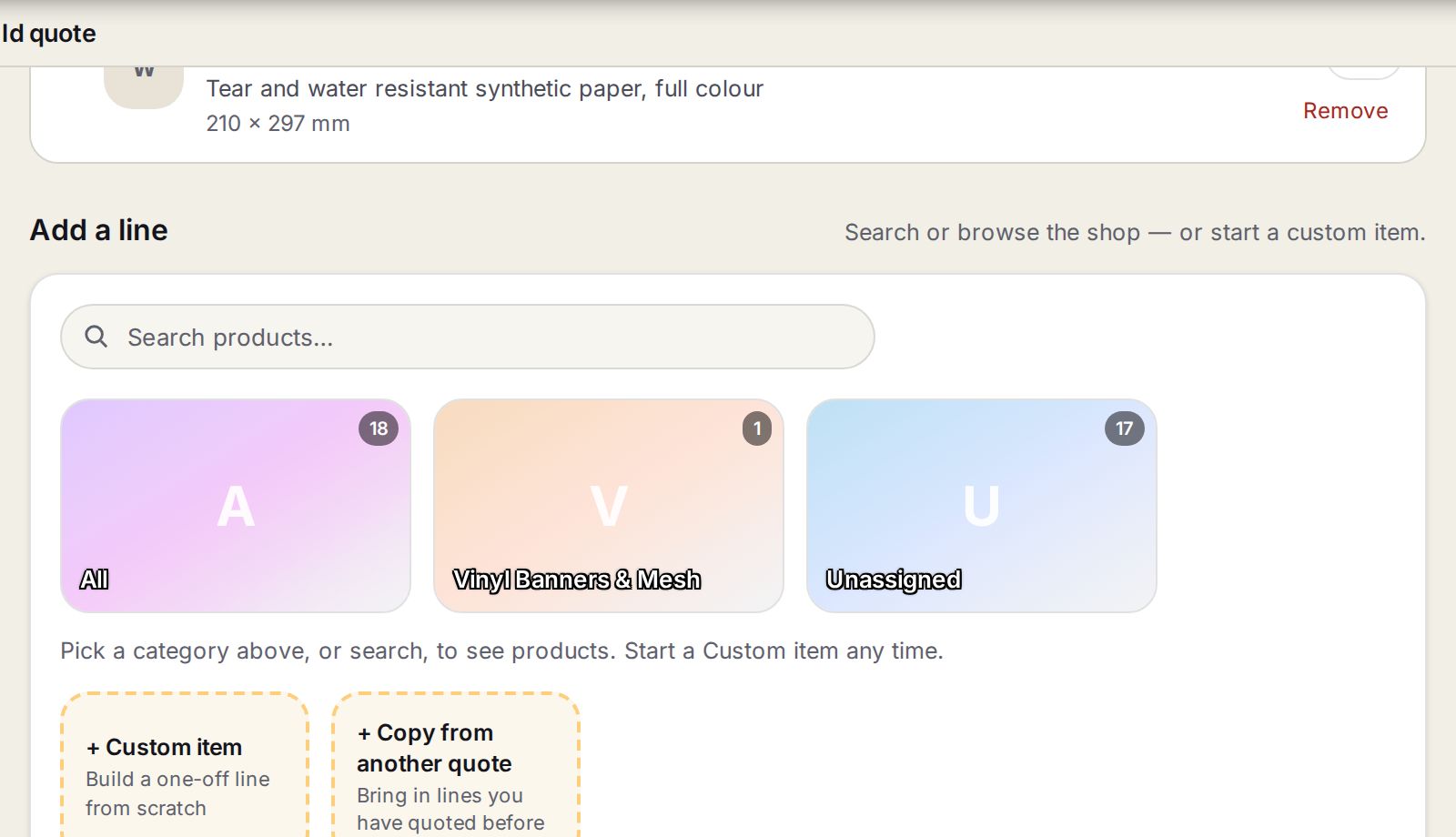
- 1Search productsType a name or one of the product's search terms.
- 2Category tilesBrowse by family. Click one to see its products.
- 3+ Custom itemBuilds a one-off line from scratch.
- 4+ Copy from another quoteBrings in lines you have quoted before.
Step by step
- 1
For regular work, pick a product
Under Add a line, search or browse, click the product, set the size, quantity and choices, and press Calculate.
- 2
For a one-off, build it
Press + Custom item and add its materials, labour and machine time by hand.
- 3
When a one-off repeats
Turn it into a product, so next time it is one pick. Talk to build can make one from a description.
Which to use
| Product | Custom line | |
|---|---|---|
| Best for | Work you do every week | Something unusual or brand new |
| Price | The same whoever quotes it | Whatever you build this time |
| Speed | Seconds | A few minutes |
| Job sheet | Steps come from the recipe | Steps come from what you added |
Tip
Products keep prices the same across your team. Custom lines keep you flexible. You will use both every week.
Watch out
+ Custom item adds a line to the quote straight away. Remove it if you did not mean to.
Where to next
Related
Add a product line and price itPick a product, set size, quantity and choices, press Calculate.Build a custom lineA one-off sign that is not in the catalogue, priced from what goes into it.Build a productA priced recipe of material, work and choices that anyone can quote in seconds.Talk to build a productDescribe a product in your own words and get a working recipe back.
Also found by searchingpremadecustomproduct vs customone-offrecipe