
Change who the job talks to
A different contact for this job than the quote, without touching the customer record.
What this is for
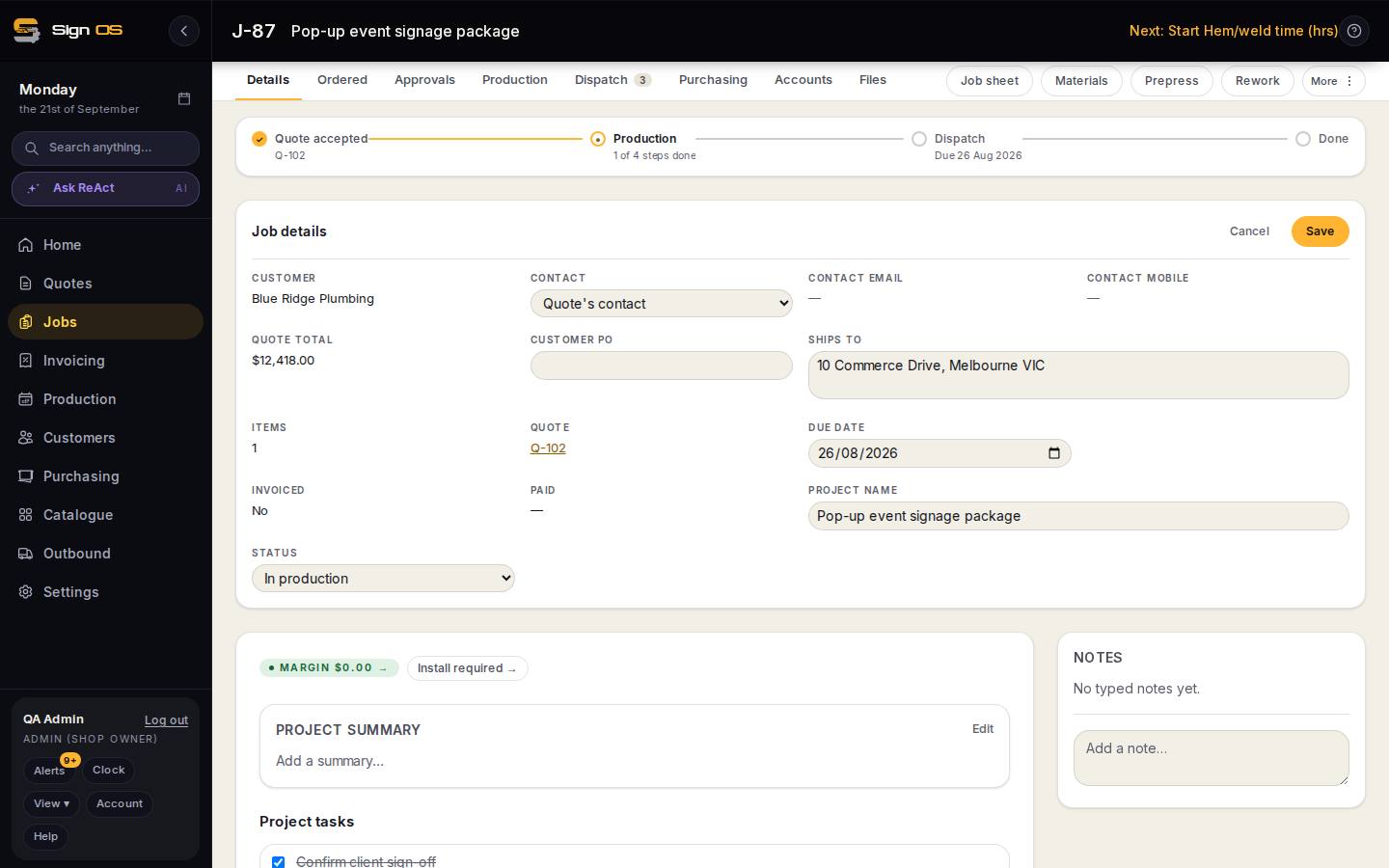
The person who accepted the quote is not always the person the installer needs to ring. The Job details card lets you swap the contact for this job only: the customer record and the quote stay as they were, and the job sheet, dispatch and proofs use the new one.
What is on this screen
Each part of the screen above, top to bottom, and what changing it affects.
Job details card in edit mode
- Contact dropdown — Quote's contact / other saved contacts
- Who this job talks to. Contact email and mobile follow it.
- Customer PO · Ships to · Due date · Project name · Status
- The other header fields editable at the same time.
- Cancel · Save
- Save changes the job only; the quote keeps who accepted it.
Step by step
- 1
Open the job. On the Job details card, press Change beside Contact. The card switches to editing — the same place you change the customer PO, ship-to, due date, project name and status.
- 2
Pick from the Contact dropdown: Quote's contact, or one of the customer's other saved contacts. Add the contact to the customer first if they are not there yet.
- 3
Save. The job's contact, email and mobile update; the quote still shows who accepted it.
- 4
To go back, press Change again and choose Quote's contact.
Tips & gotchas
- Proof approvals and dispatch notifications go to the job's contact, so set it before sending a proof if the site manager is the one who should answer.