
Send us your price lists and customers
Any format. We load it, free, and tell you when it is in.
What this is for
Moving shops is the part everyone dreads. You do not have to retype anything: send whatever you have — spreadsheets, an export from your old system, a PDF price list — and it is loaded for you, free. The form asks what you run the shop on today and what matters most so the first thing loaded is the thing you need.
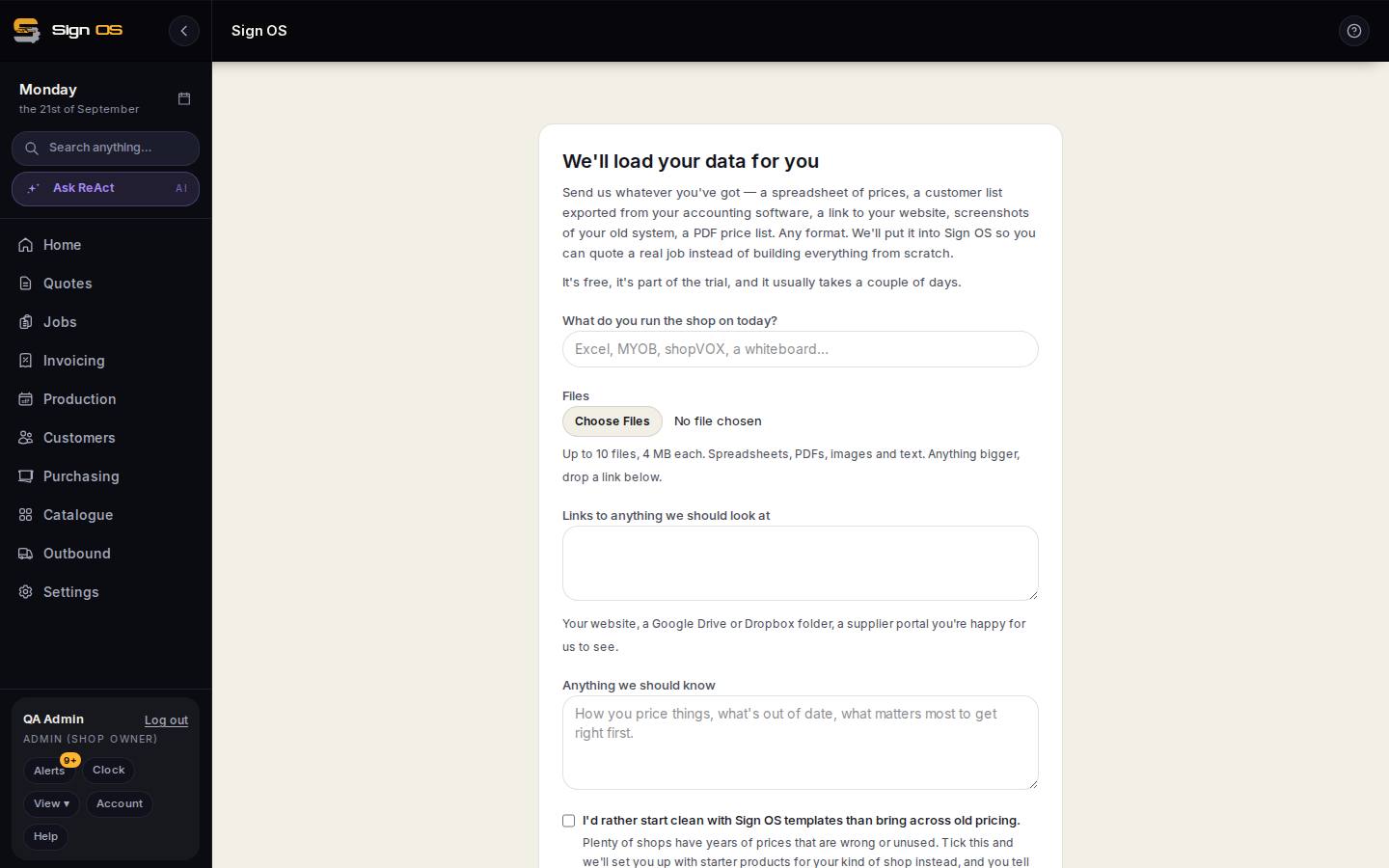
What is on this screen
Each part of the screen above, top to bottom, and what changing it affects.
- What do you run the shop on today?
- Excel, MYOB, shopVOX, a whiteboard — tells us what format to expect.
- Files
- Attach spreadsheets, exports, PDFs — any format.
- Links to anything we should look at
- A shared drive or an online price list.
- Anything we should know
- How you price things, what is out of date, what matters most to get right first.
- Send
- You get Thanks — you're set up straight away, then Your data is in — have a look when it is loaded. See status on Home shows where it is up to.
Step by step
- 1
Open Setup → Send us your data, or the Send us your data link on the Home screen card.
- 2
Say what you run the shop on today — Excel, MYOB, shopVOX, a whiteboard — and attach the files. Links to anything we should look at go in the box provided.
- 3
Under 'Anything we should know', say how you price things, what is out of date, and what matters most to get right first.
- 4
Send. You get 'Thanks — you're set up' straight away, then 'Your data is in — have a look' once it is loaded. See status on Home shows where it is up to.
Tips & gotchas
- Send the messy version. A price list with hand-written margins in it tells us more than a clean one.
- Old jobs and quotes come in as accepted quotes tagged as history, never as live jobs, so your production board stays clean.