
Import your pricing spreadsheet
Turn the spreadsheet you price from today into a list you can look things up in.
What this is for
Most shops price from a spreadsheet somebody built years ago. The price book takes that spreadsheet and makes it an editable list inside Sign OS, so you are not alt-tabbing to a file on someone's desktop.
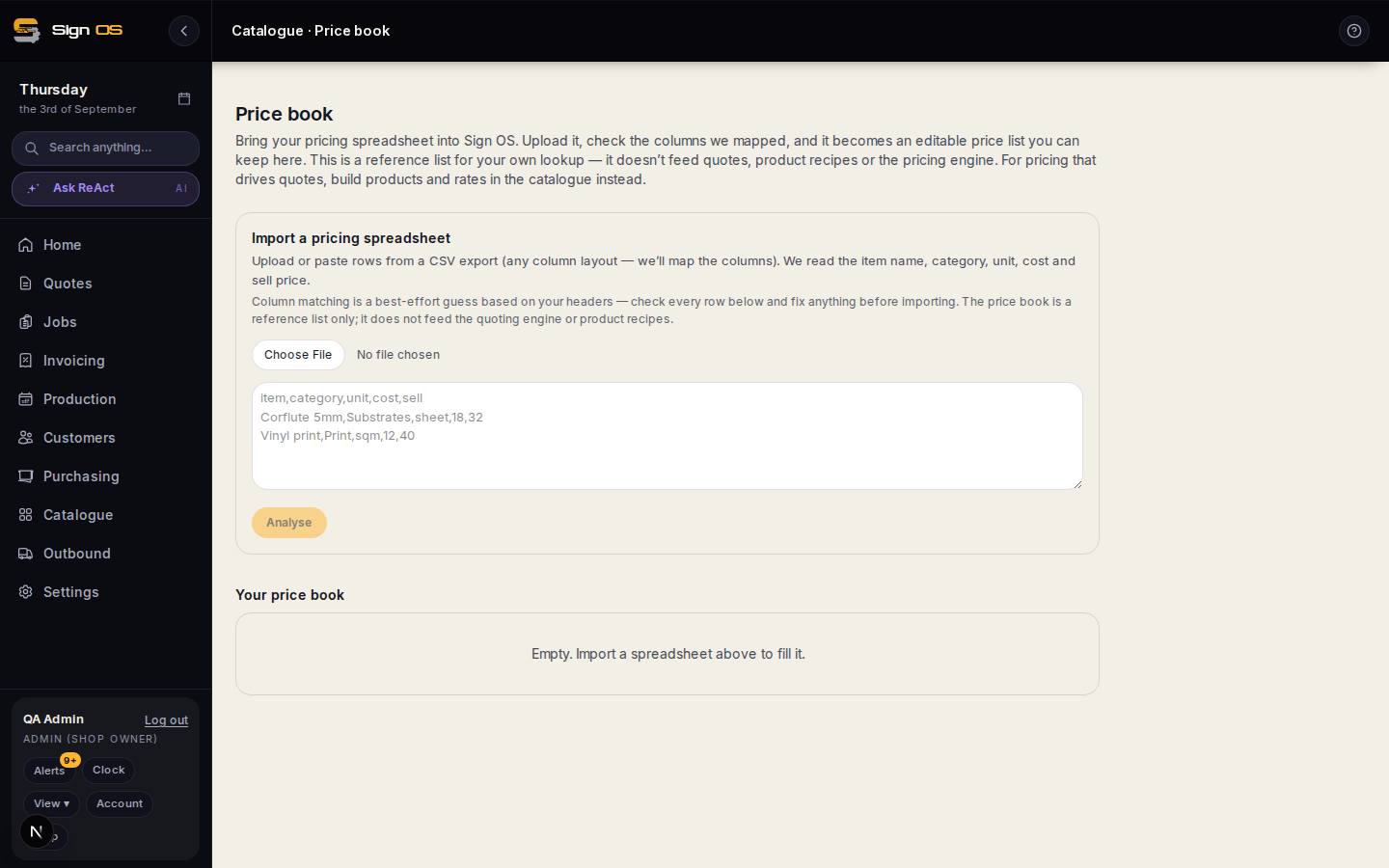
What is on this screen
Each part of the screen above, top to bottom, and what changing it affects.
- Import a pricing spreadsheet — upload or paste · Analyse
- Any column layout; the item name, category, unit, cost and sell price are read.
- Column matching
- A best-effort guess from your headers — check every row before importing.
- Your price book
- An editable reference list for lookup. It does not feed quotes, recipes or the pricing engine.
Before you start
- Export your pricing spreadsheet as CSV. Any column layout is fine.
Step by step
- 1
Open Catalogue → Price book.
- 2
Upload the CSV or paste the rows in, then press Analyse.
- 3
Check the columns Sign OS matched — item name, category, unit, cost and sell price. The matching is a best-effort guess from your headers.
- 4
Fix anything wrong before importing, then import.
Note: Read this before you rely on it. The price book is a REFERENCE list for your own lookup. It does not feed quotes, product recipes or the pricing engine. For pricing that actually drives a quote, build products and rates in the catalogue instead.
- 5
Edit entries in place from then on — the price book is yours to maintain.
Tips & gotchas
- Treat the price book as a stepping stone. It gets your numbers off a desktop and into one place; turning the ones you sell most into real products is what makes quoting fast.
- If a price here disagrees with a quote, the quote is right — it came from the engine, and this list did not.