
Give an account customer their own ordering login
A private login on your store where they order at their agreed prices.
What this is for
A trade or account customer who orders the same things every month should not need a quote each time. The account portal is a private login on your online store: they see only the products you allow, at their pricing-group price or a price you agree per product, and place orders on account that arrive as jobs.
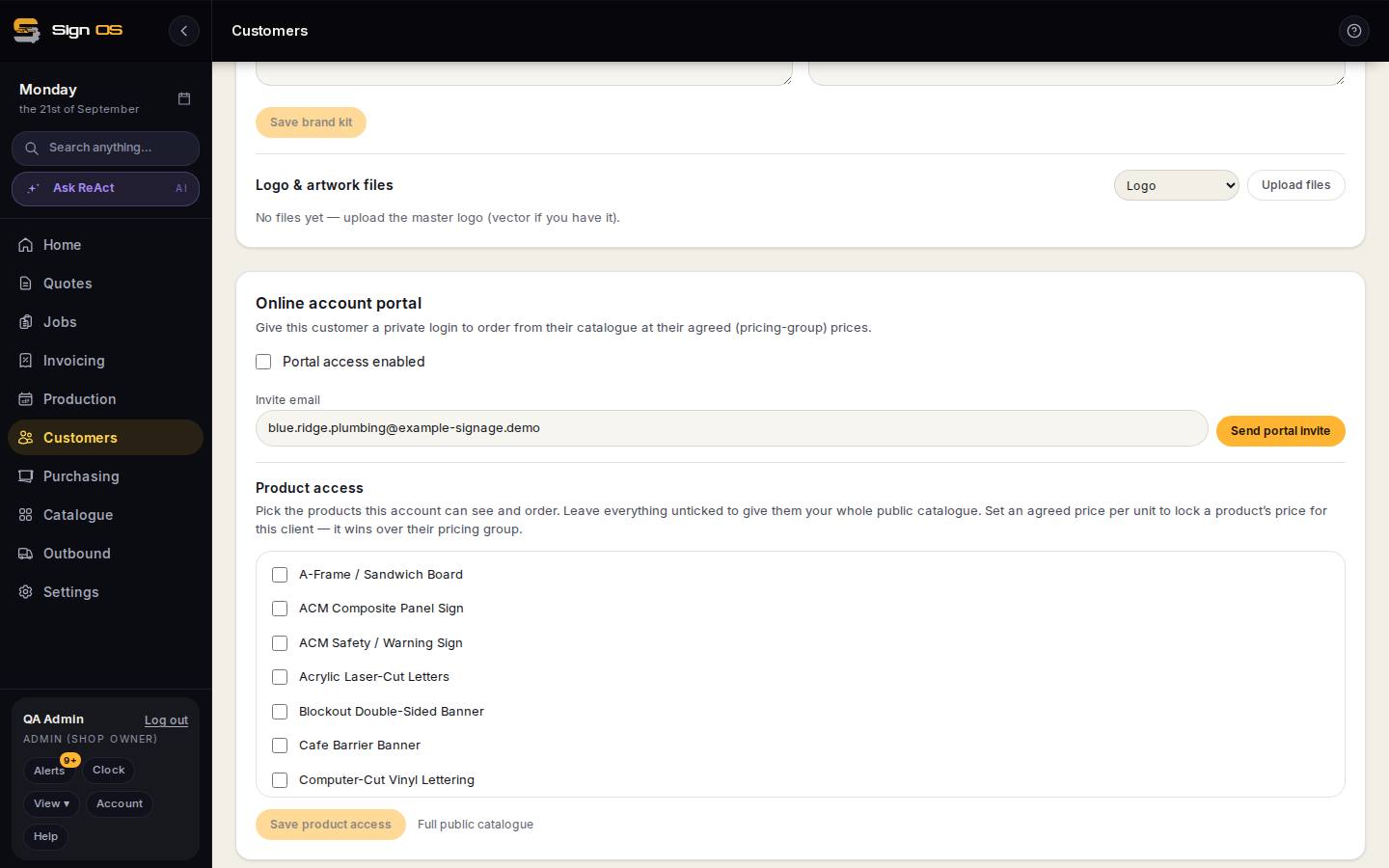
What is on this screen
Each part of the screen above, top to bottom, and what changing it affects.
Online account portal card (on the customer)
- Portal access enabled
- Switch the login on or off without deleting anything.
- Invite email · Send portal invite
- Who gets the login link; shows active or invite pending.
- Product access — tick products · agreed price per unit · Save product access · Full public catalogue
- What they can see and order, and a locked price that wins over their pricing group. Nothing ticked means the whole public catalogue.
What the customer sees
- Email me a login link
- No password; a link each time.
- Their catalogue · Pick a size / Enter dimensions · Place order on account
- Only the products allowed, at their prices.
- Orders — Product · Status · Production
- Where each order is up to.
Before you start
- Your online store needs to exist — the portal lives on it.
- Put the customer in a pricing group if you want group pricing to apply.
Step by step
- 1
Open the customer and find the Online account portal card.
- 2
Tick Portal access enabled, enter the buyer's email and Send portal invite. They get an email with a link; the card shows the login as invite pending until they use it, then active.
- 3
Product access: pick the products this account can see and order. Leave everything unticked to give them your whole public catalogue. Set an agreed price per unit on a product to lock its price for this client — it wins over their pricing group. Save product access.
- 4
They sign in from your store's account page with a login link emailed to them (no password), pick a product, enter the size or details, and Place order on account. The order arrives in Web orders.
- 5
Untick Portal access enabled to switch the login off without deleting anything.
Tips & gotchas
- Their Orders page on the portal shows each order's status and whether it is in production, so they stop ringing to ask.
- An agreed price is per product, not per size; if the size drives the price, the recipe still runs at their group markup.