
Group customers your own way
Four dropdowns on the customer record — industry, client type, territory, lead source.
What this is for
Reports are only as useful as the groups behind them. Customer fields are four lists you define — the industry a customer is in, how you deal with them, whose patch they are on, and where the lead came from — that appear as dropdowns on every customer record. A list with nothing in it stays hidden, so you only see the ones you use.
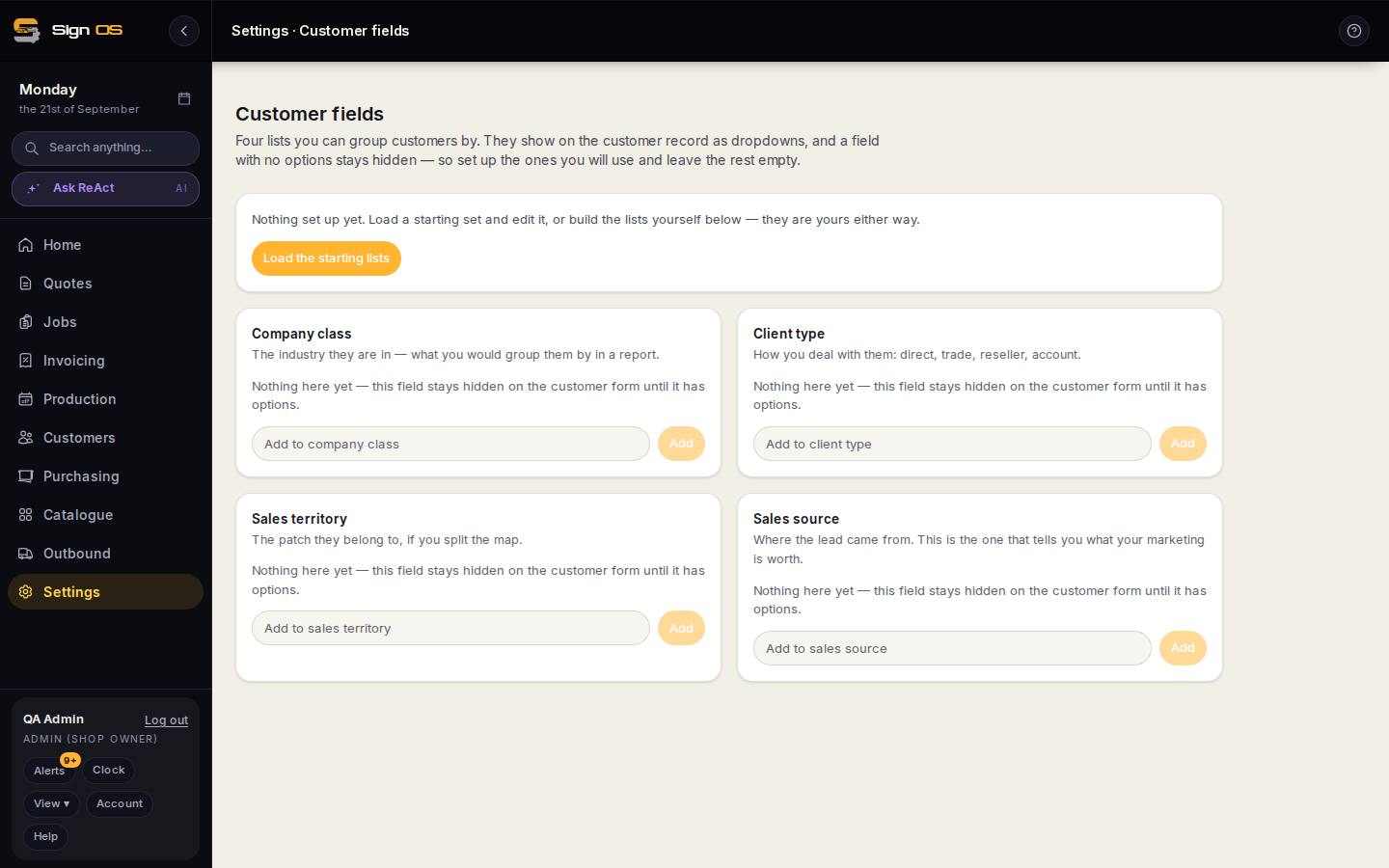
What is on this screen
Each part of the screen above, top to bottom, and what changing it affects.
- Load the starting lists
- A sensible starter set for all four lists, editable.
- Company class · Client type · Sales territory · Sales source — Add
- Four lists; each option typed and added. A list with no options stays hidden on the customer form.
- On the customer record
- The four appear as dropdowns under Details.
Step by step
- 1
Open Settings → Your shop → Customer fields.
- 2
Either click Load the starting lists for a sensible set you can edit, or build each list yourself.
- 3
Company class is the industry — what you would group them by in a report. Client type is how you deal with them: direct, trade, reseller, account. Sales territory is the patch, if you split the map. Sales source is where the lead came from.
- 4
Under each one, type an option and Add. Repeat for the ones you will use; leave the rest empty and they will not clutter the customer form.
- 5
Open a customer and the fields are there as dropdowns.
Tips & gotchas
- Sales source is the one that tells you what your marketing is worth. Fill it in on every new customer for three months and you will know where to spend.