
Release a job to production
Confirm the due date and steps, and the job hits the floor.
What this is for
An accepted job is not on the floor until it is released. Release is a short wizard (due date, steps, confirm), after which Sign OS plans the job on the Schedule, its steps show on the department boards, and the quoted materials your stock shows on hand are reserved for it.
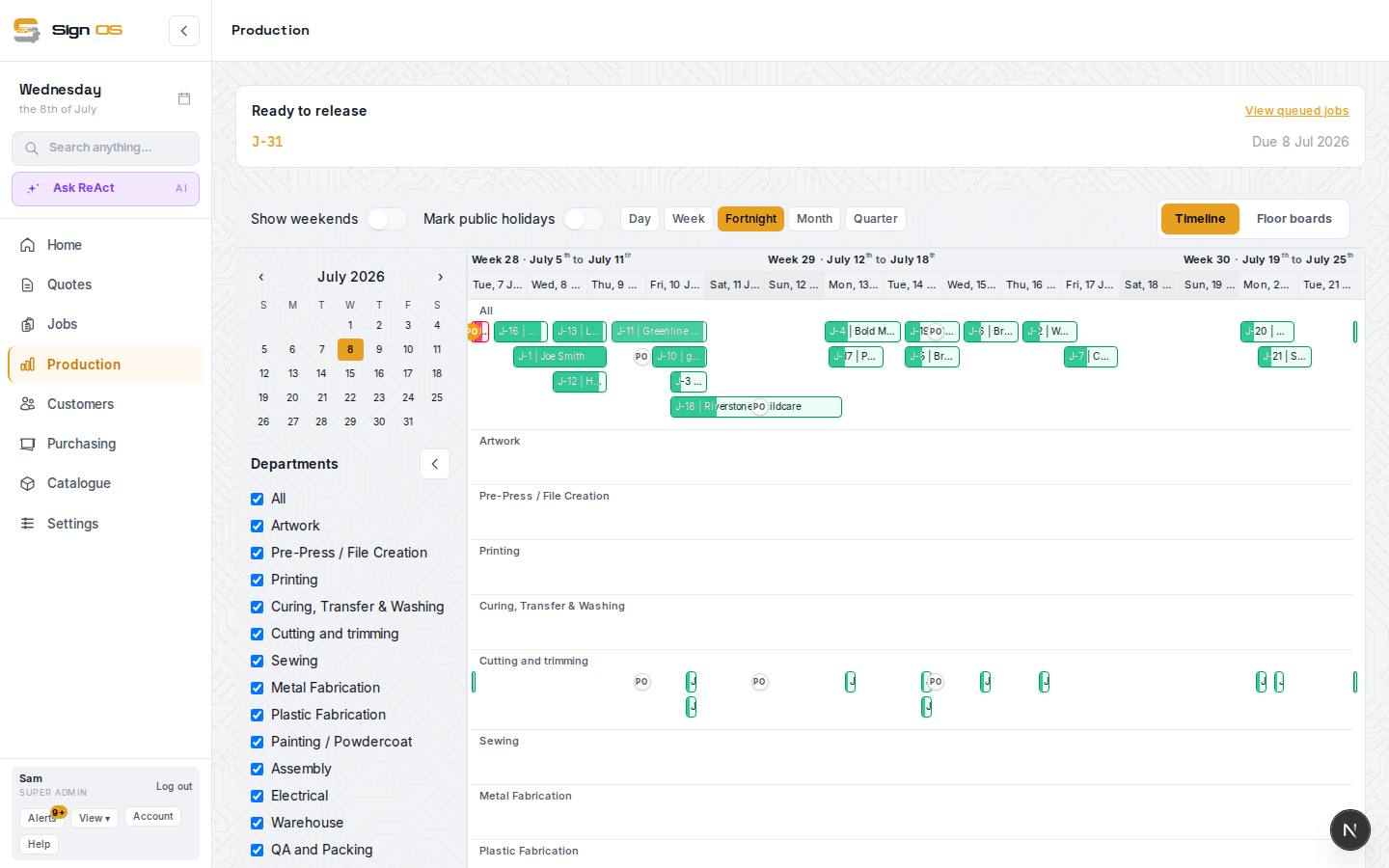
What is on this screen
Each part of the screen above, top to bottom, and what changing it affects.
Production > To release
- Ready to release · View queued jobs
- Every queued job, with its customer, project and due date. View queued jobs opens the Jobs list on Queued.
- Job number · Release
- The job number opens the job, so you can check a proof's changes first. Release opens the wizard.
- On hold · Waiting for deposit · Proof: … · Sheet printed / Sheet not printed
- Why a job might not be ready: put on hold (with the reason), its deposit invoice unpaid, where its proof stands, and, if your shop tracks it, whether its job sheet has been printed.
- Waiting for deposit (folded)
- Only with Wait for the deposit before release on. Jobs whose deposit invoice is unpaid sit here and move up by themselves once it's paid. See Hold jobs until the deposit is paid.
Release wizard
- 1. Due date — Job · Customer · Due date · Review production steps
- Check the date the plan works to.
- 2. Steps — Floor steps · Stock lines · Back · Continue to confirm
- The steps the recipe produced per department, and the quoted stock lines. Steps with no time set are flagged: they still go on the boards but take no time on the plan.
- 3. Confirm — Release to production
- Job status moves to In progress and Sign OS plans its steps. Materials your stock shows on hand are reserved; the rest show as shortfalls on the job's Purchasing tab.
- 4. Done — Open job sheet · Master board
- Print the job sheet, or go to the Schedule.
Before you start
- Artwork that needs approval should be approved first; a job with an unapproved proof can't be released.
Step by step
- 1
Open Production → To release. Ready to release lists every job waiting; press Release on one, or open the job itself and press Release to production beside its tabs.
- 2
1 · Due date: check it. The plan works to this date, so a wrong date puts the job in the wrong week and marks it Late when it isn't.
- 3
2 · Steps: review the floor steps the recipe produced, per department, and the quoted stock lines. Any of them your stock shows on hand are reserved for the job when you release it.
- 4
3 · Confirm. The job's status moves to In progress; it appears on the Schedule and the relevant floor boards. 4 · Done.
Tips & gotchas
- You can also release from the Schedule: drag a job from Waiting for release in the tray onto a day. Release still checks the proof, the deposit and anything else your shop requires.
- A job on hold can't be released. Take it off hold on the job page first.
- If the Schedule shows the job late the moment it is released, the due date is unrealistic for the capacity you have. Move the date or the capacity, not the job.
- A job with nothing for the production board can still be released. Step 2 lists the lines with no board steps and links to their products; the job goes to In progress with nothing on the Schedule, and you send it from Outbound when it's done.