
Clock on, and write up a day's work
Where the floor's hours come from, and how to add the ones nobody scanned.
What this is for
Time on a job comes from the floor scanning on and off. Real days are messier than that, so time can also be written up afterwards — and it counts towards the job exactly the same way.
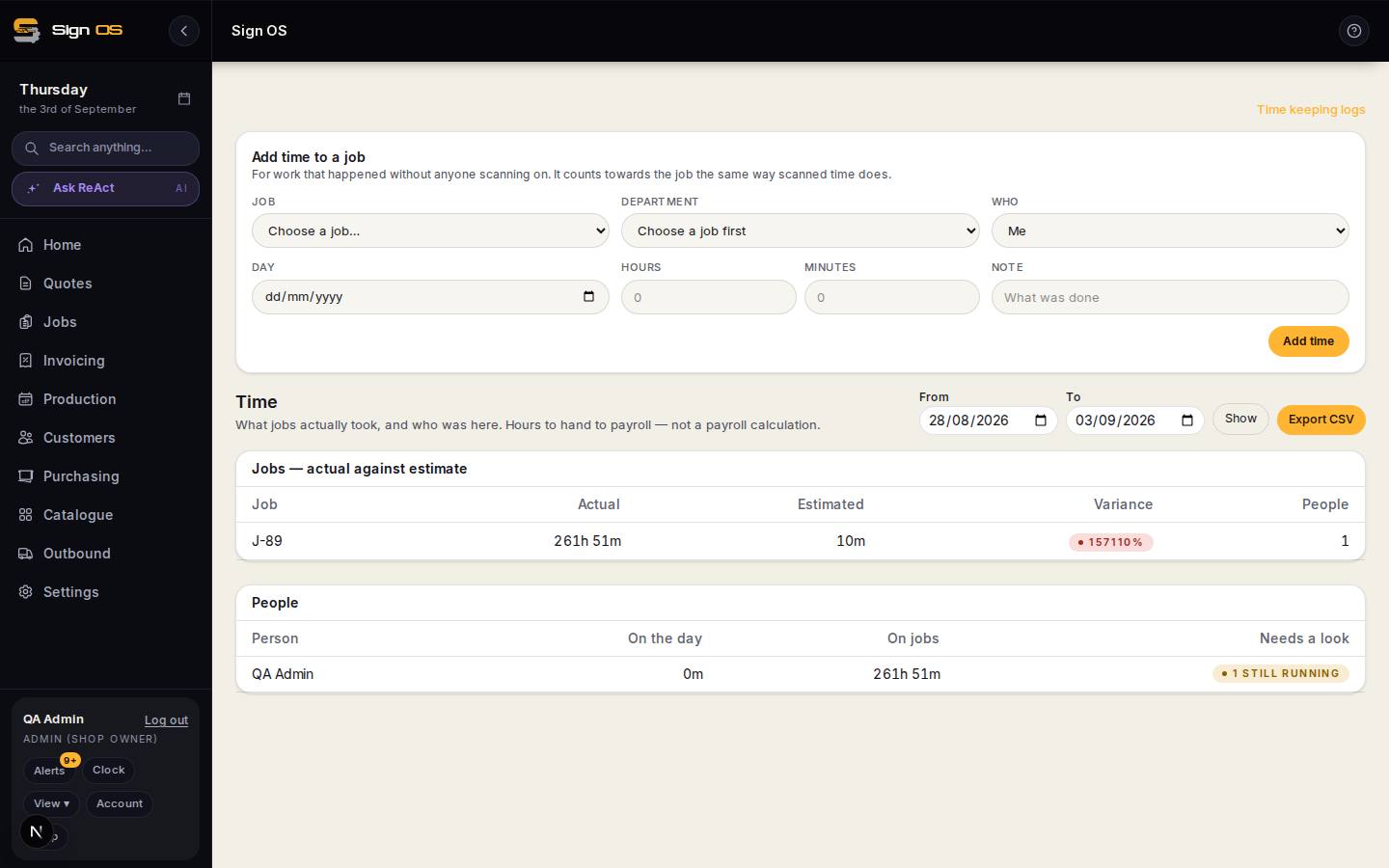
What is on this screen
Each part of the screen above, top to bottom, and what changing it affects.
- Add time to a job — Job · Department · Who · Day · Start · Finish · What was done
- A timesheet line for time nobody scanned; the time worked is added up from start and finish, and counts towards the job the same as scanned time.
- The log
- Every entry by day, with filters for department, day clock or job time, and scanned or manual. Correct this entry records a correction with a reason rather than overwriting; supervisors can also Remove this entry for finished job time, with a reason that goes on the job's history.
- Timesheet
- Each person's own hours, always visible to them.
Before you start
- Time keeping is included with Workshop, Scale and Signature. You can also choose it as part of Build your own in Plan & billing.
Step by step
- 1
Open Time to see the logs. The day clock has its own filter so you can look at one day at a time.
- 2
To add time nobody scanned, use 'Add time to a job', pick the job and department, then enter who, the day, the start and finish times and what was done. After saving, the next line starts where that one finished.
- 3
On a job, the Production tab has Add time and Edit time on each department, and lists every time entry under its step: who, start to finish (or Still running), and how long.
- 4
Correct a mistake with Correct this entry, from the log or from Edit time on the job. You give a reason and the correction is recorded rather than overwritten. A wrong finished entry can be removed the same way; clock on and off, and a timer still running, can't be.
Tips & gotchas
- Written-up time counts identically to scanned time. There is no second-class time.
- Your own hours stay your own — an ordinary staff member sees their time, not everybody else's. Only the roles you have granted it to see the whole shop's.
- Clocked time tells you what a job really took. That is the number to compare against what you quoted, and the fastest way to find a product that is priced wrong.