
Check a delivery before you pay for it
Signing for a pallet is not the same as agreeing it was right.
What this is for
The storeman signs for a pallet; somebody else opens it and finds the wrong colour. Checking is a separate act from receiving, so a supplier's bill is never approved just because a truck turned up.
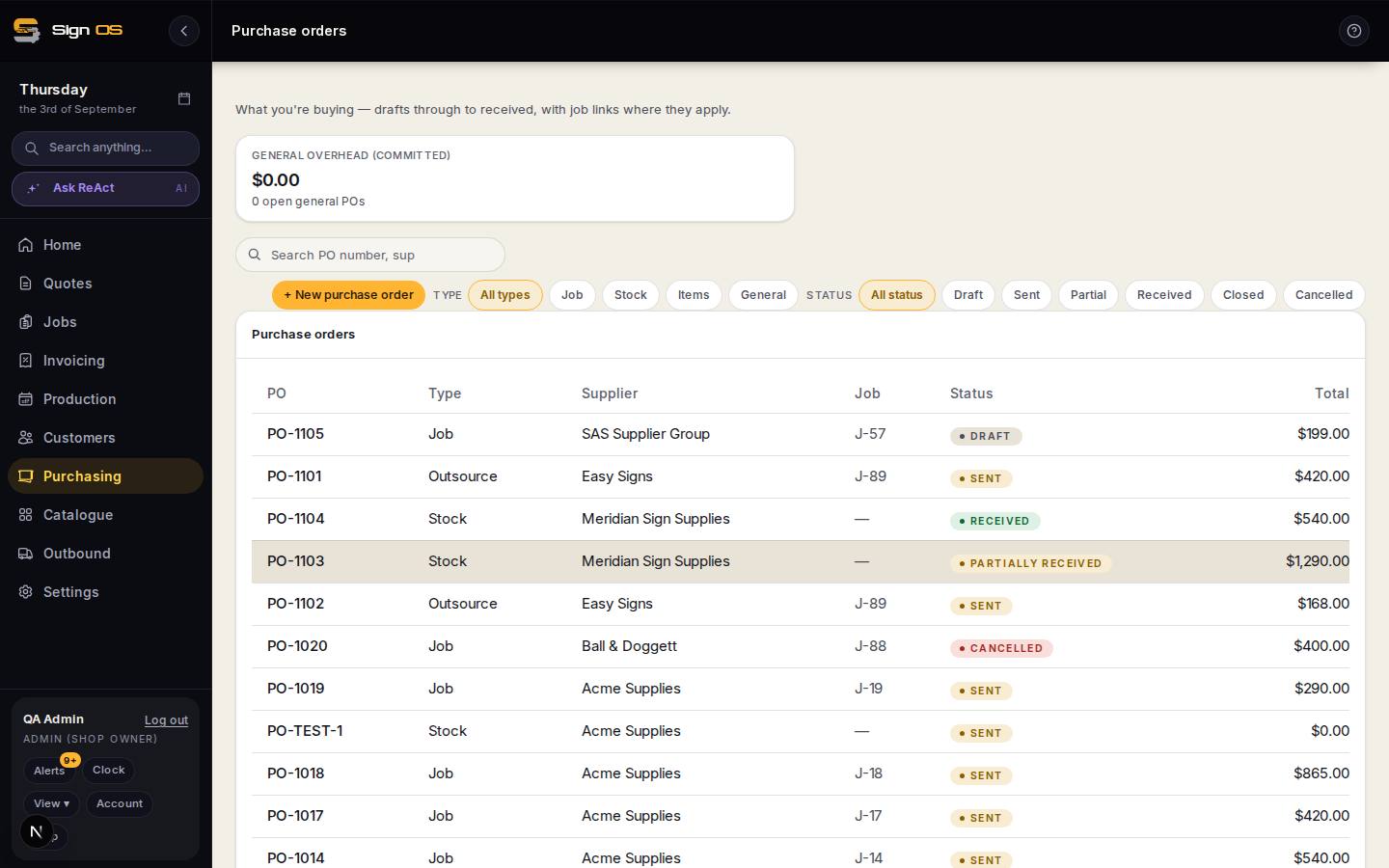
What is on this screen
Each part of the screen above, top to bottom, and what changing it affects.
On a receipt
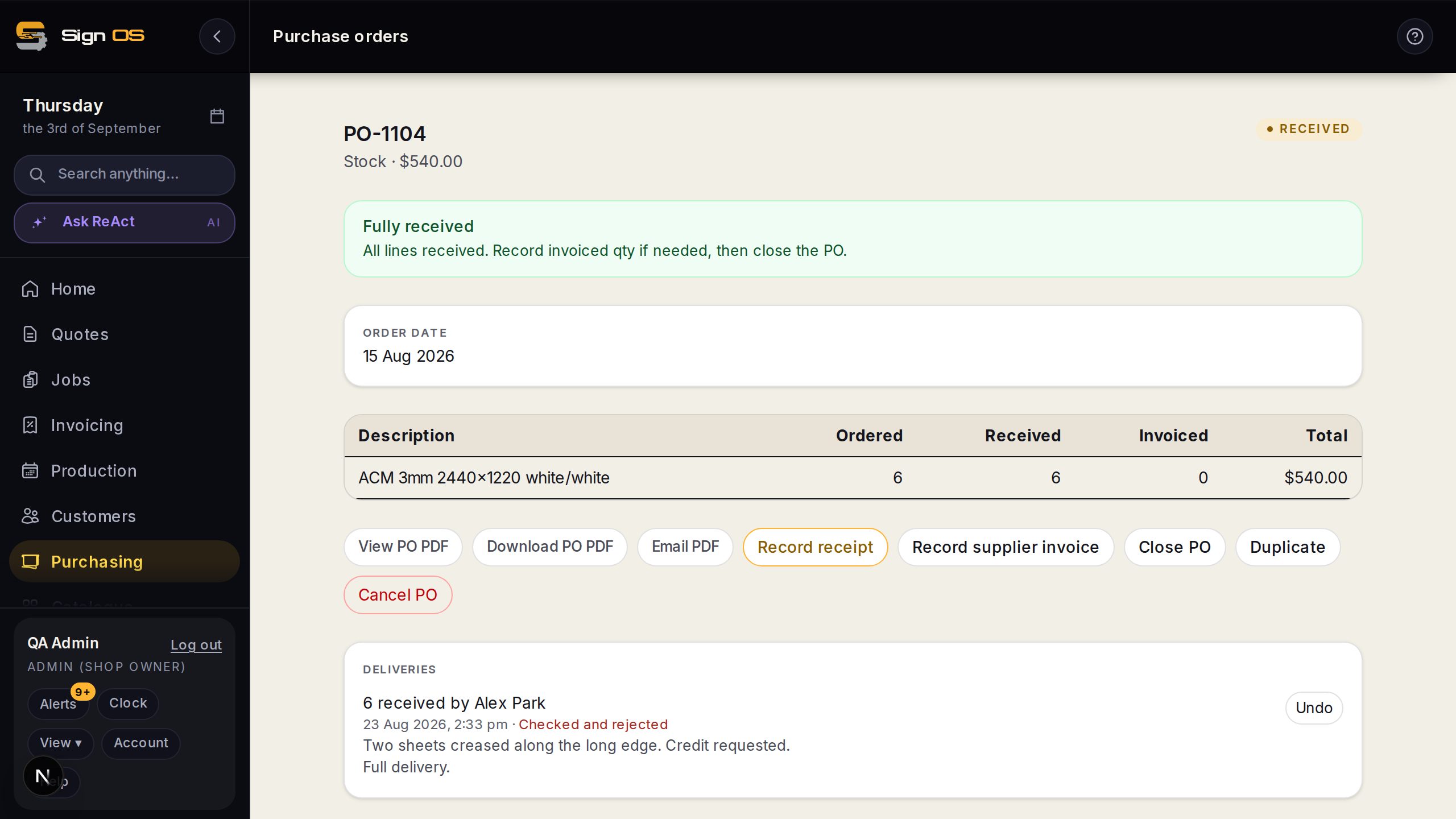
- Check goods — Accepted / Rejected · note
- Recorded once somebody has opened and inspected the delivery, separately from arrival.
- Arrived · Checked (on the order and on Supplier bills)
- Two states, so a bill can wait for the check rather than the truck.
Before you start
- The delivery has been received against its purchase order.
Step by step
- 1
Open the purchase order and find the receipt on it.
- 2
Click Check goods once somebody has actually opened and inspected them.
- 3
Mark it Accepted or Rejected, and add a note saying what was wrong if it was.
- 4
The order shows what has arrived and, separately, what has been checked. The supplier bills board can filter on either.
Tips & gotchas
- One order can take three deliveries and only the second be wrong — the check sits on each delivery, not on the order as a whole.
- A rejected delivery never gets pushed to your accounting automatically, under any setting. A credit note chasing a bill through Xero is worse than a bill that waited.
- You cannot half-record a check. Either it has been checked with an outcome, or it has not been checked.
Related guides
Receive a delivery, and fix it when it is wrongBook in what arrived, undo a mistake, close an order short, or split what is still coming.Send supplier bills to your accountingFilter, tick, and push a batch to Xero — or let it happen on its own.Match a supplier invoice to the orderOrdered, received, invoiced — the three numbers that should agree.