
Price a cut file by the metre
Drop in an SVG or DXF, get the true cut length, and charge for it.
What this is for
Plotting and routing are paid for by the metre of blade travel, not by the size of the sign. This measures the real path length of a cut file — curves and arcs included — so an intricate job is priced as an intricate job.
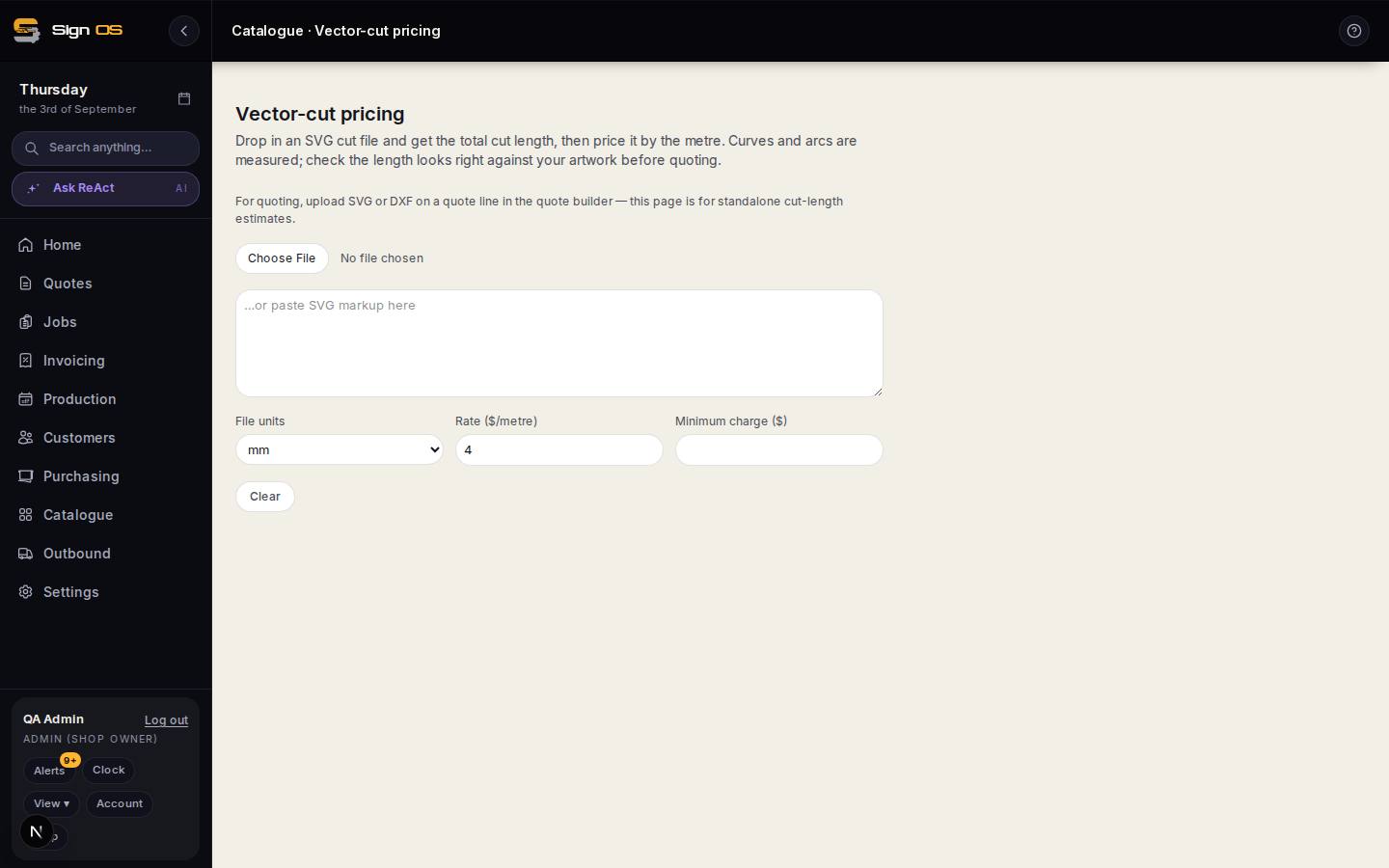
What is on this screen
Each part of the screen above, top to bottom, and what changing it affects.
- Drop in an SVG
- The cut file. Curves and arcs are measured.
- File units
- mm, cm, m or inch — the one mistake that matters.
- Rate ($/metre) · Minimum charge ($)
- What a metre of cutting costs and the floor.
- Total cut length · price
- Check the length against the artwork before quoting. For a quote, upload SVG or DXF on the quote line instead — this page is standalone.
Before you start
- Have the cut file as SVG or DXF.
Step by step
- 1
Open Catalogue → Vector-cut pricing.
- 2
Drop in the file and set the file units — mm, cm, m or inch. Getting this wrong is the one mistake that matters.
- 3
Enter your rate per metre and a minimum charge.
- 4
Check the total cut length against the artwork before you quote it.
Note: A stray duplicate path or an open shape doubles the length without looking any different on screen. Thirty seconds of sanity-checking here saves an argument later.
Tips & gotchas
- For an actual quote, upload the file on the quote line in the quote builder instead — this page is for standalone estimates.
- Cut length and sheet nesting answer different questions. This one is blade travel; nesting is how much material you consume.
- A router or laser product that asks Cut complexity on the quote fills it in when you upload the cut file on the line: the file's cut length over the sign's outline, rounded up to a whole number.