
Estimate how many sheets a job needs
Lay parts on a sheet, see the utilisation, and put the sheet count on a quote.
What this is for
Quoting a rigid job on area alone undercharges you every time there is an offcut. This lays your parts out on a real sheet and tells you how many sheets you actually buy.
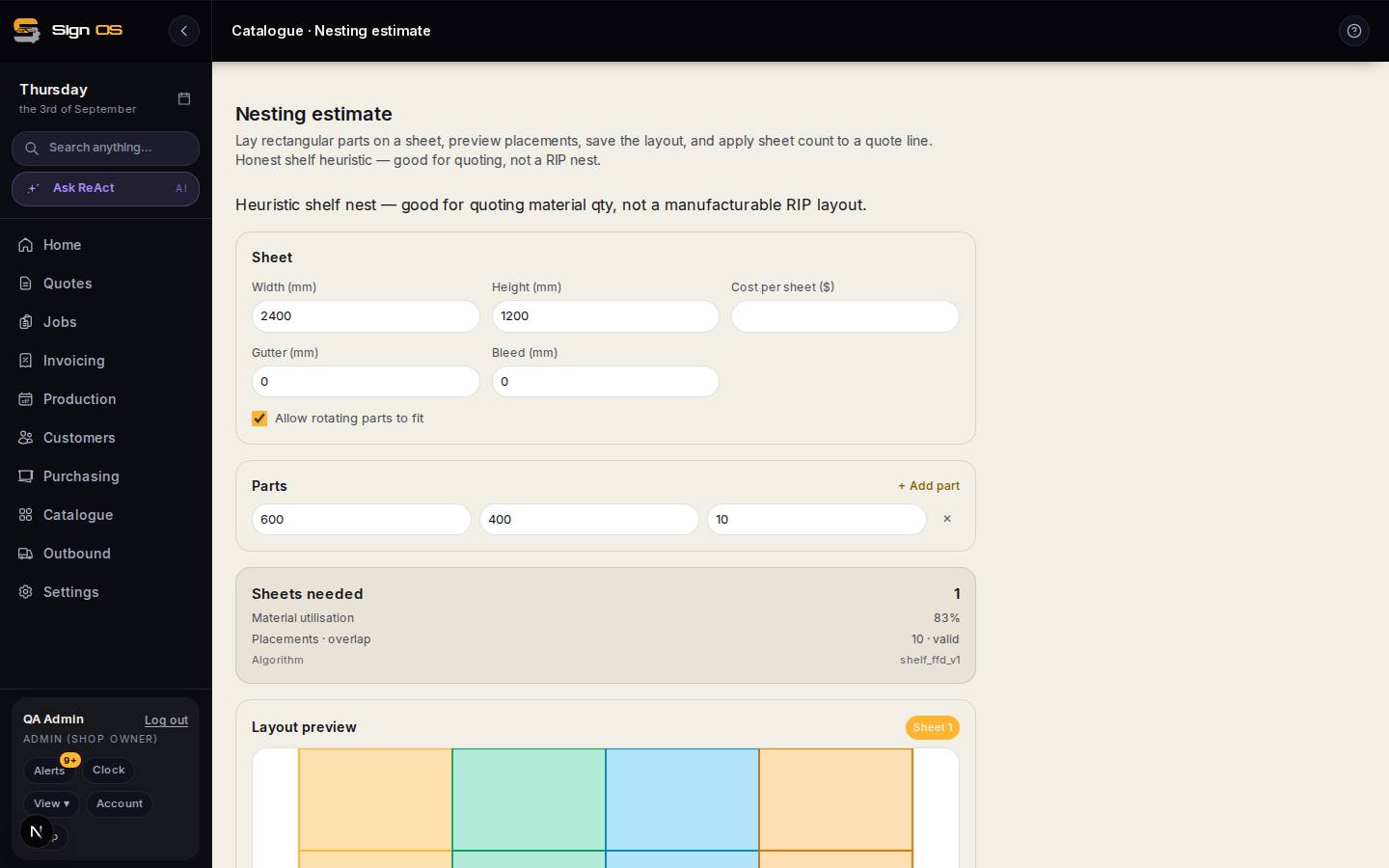
What is on this screen
Each part of the screen above, top to bottom, and what changing it affects.
- Sheet — Width · Height · Cost per sheet · Gutter · Bleed
- The material you cut from and the spacing you cut with.
- Allow rotating parts to fit
- Tick when the material has no grain or direction; it usually saves a sheet.
- Parts — + Add part
- Each part's size and quantity.
- Sheets needed · Material utilisation · Placements
- The answer, and how much of each sheet is used. A shelf heuristic — good for quoting, not a RIP nest.
- Layout preview · Save layout
- See the placements; Save keeps them so the sheet count can be applied to a quote line from the quote builder.
Before you start
- Know your sheet size and what a sheet costs you.
Step by step
- 1
Open Catalogue → Nesting estimate.
- 2
Set the sheet: width, height, cost per sheet, plus the gutter and bleed you cut with.
- 3
Add each part and its quantity with + Add part.
- 4
Tick 'Allow rotating parts to fit' if the material has no grain or direction. It usually saves a sheet.
- 5
Read Sheets needed and Material utilisation, and check the layout preview looks like something you would actually cut.
- 6
Save layout to keep it, then apply the sheet count to a quote line from the quote builder.
Tips & gotchas
- This is an honest shelf heuristic for quoting material quantity — good enough to charge from, not a manufacturable RIP layout. Your prepress software still does the real nest.
- Utilisation under about 60% usually means a part is only just too big for the sheet. Changing the panel size by a few millimetres can drop a whole sheet off the job.