
Sign OS blog
Simplifying Installations: How Sign OS Connects Sign Shops with Installers
· Updated
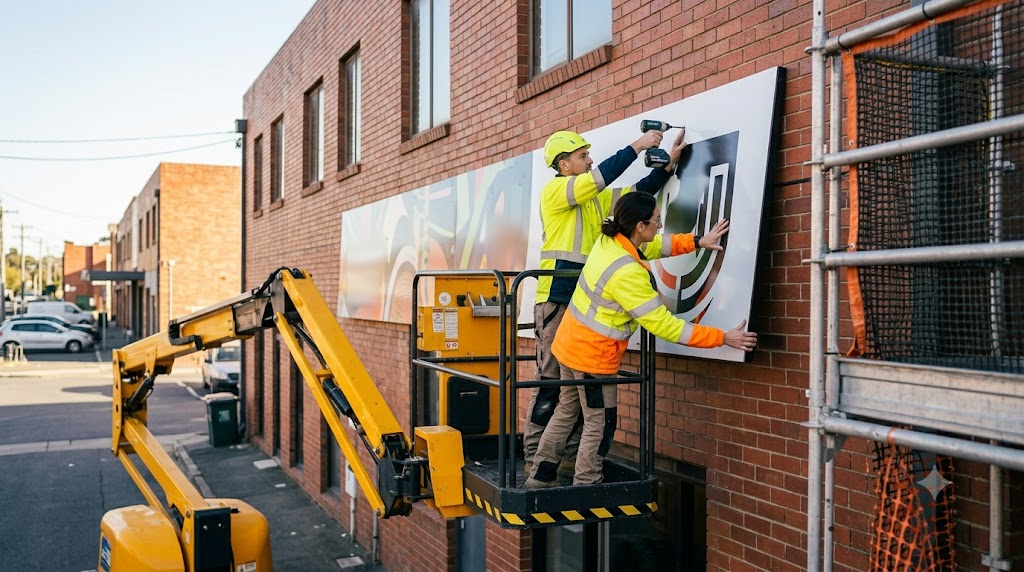
Plenty of great sign work is made in one shop and installed by someone else — a subcontract crew, a ladder-and-EWP specialist, a regional fitter the shop uses twice a month. That hand-off is where jobs get messy: the site address in one email, the access notes in another, insurance certificates in a folder nobody can find, and completion photos that arrive as blurry texts if they arrive at all.
Sign OS makes the installer a proper part of the job instead of a thread of loose messages. Here's the connection, end to end.
A directory of installers, not a contacts list
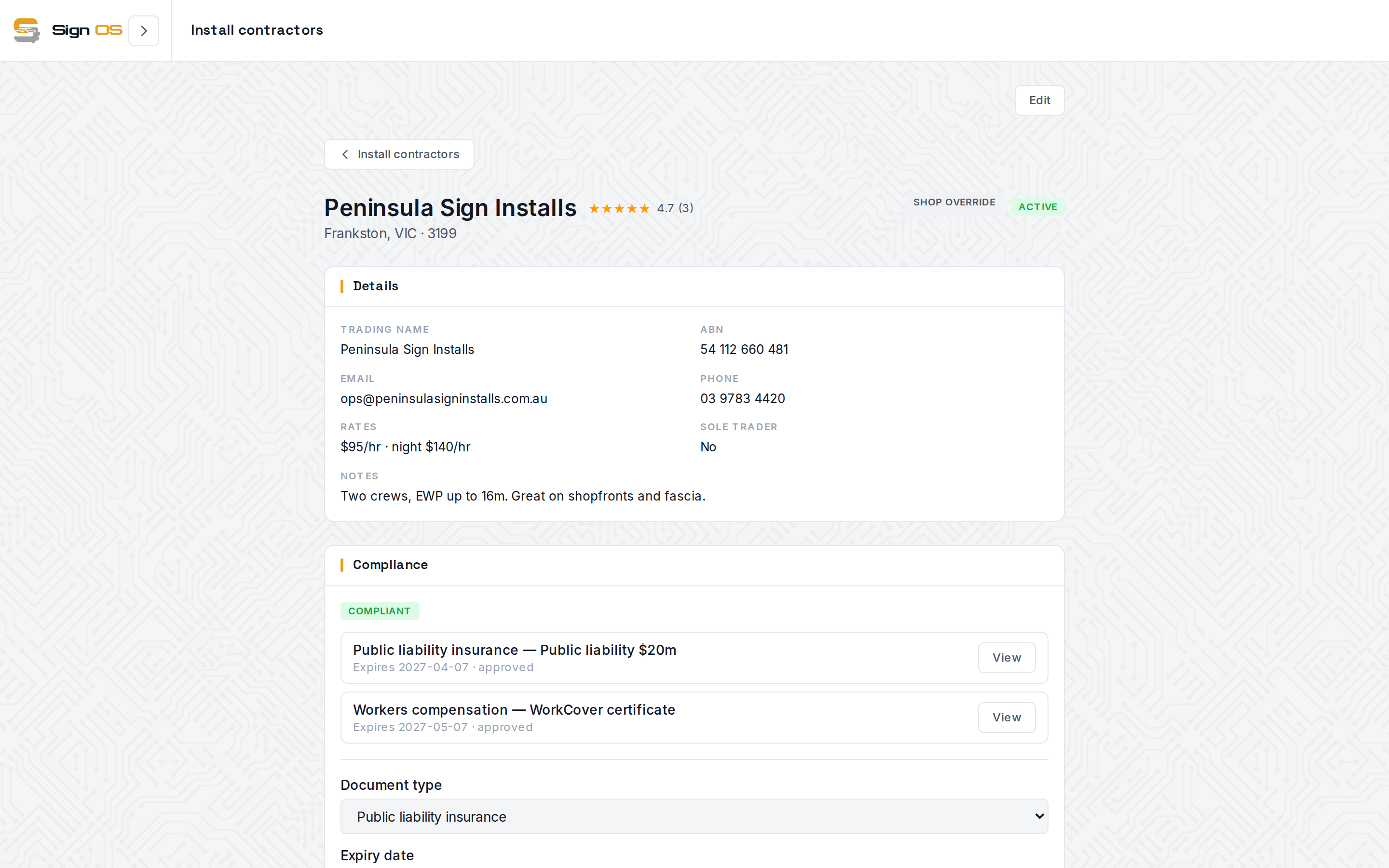
Install contractors live in their own directory. Each one is a real profile: business details and ABN, named contacts, standard and after-hours rates, and location so you can filter to installers in the right state. You can rate contractors out of five with comments after a job, so the directory gets smarter every time you use it — the reliable crew rises, the one who no-showed is on the record.
Crucially, it also holds compliance documents — public liability, workers' compensation, licences, site inductions — each with issue and expiry dates and an approve/reject review workflow. When you're deciding who to send onto a customer's site, their insurance status is on the same screen as their rating, not in a filing cabinet.
The install is assigned on the quote
You don't bolt the installer on at the end. In the quote builder's install section you set the install team: your own staff, picking the installer from your team, or a contractor, picked straight from your directory and filtered to the right state. The same place captures the site address, access notes (parking, keys, height, after-hours), and installer notes specific to this job.
Because it's part of the quote, all of it travels with the job automatically when the customer accepts. Nothing is re-sent; the person who fits the sign gets the details the person who sold it wrote down.
One portal, every shop they work with
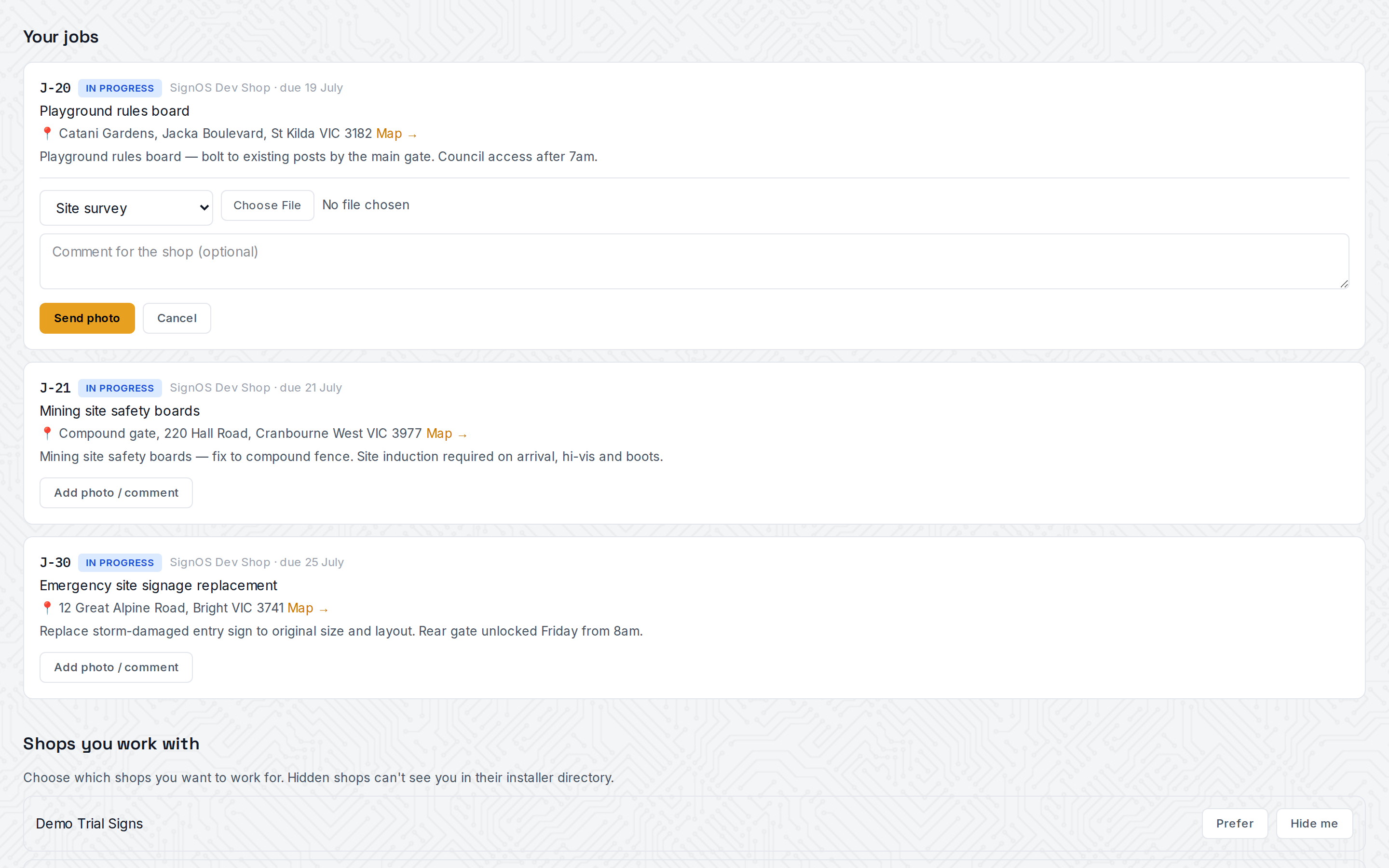
Installers log in to their own portal and see their assigned jobs — and here's the part that matters for a contractor who works for several shops: the portal shows jobs across every shop that's assigned them, grouped by shop. One login, the whole workload. Each job shows the job number and status, the shop, the due date, the project, the site address with a Google Maps link, and the installer notes.
Installers control their own visibility too. For any shop, they can mark themselves preferred or hide themselves — so the directory a shop picks from reflects who actually wants the work.
Photos come back to the job, automatically
The hand-off runs both ways. From a job in the portal, the installer takes photos tagged Before / site survey, In progress or Finished, ticks off the shop's condition checklist, and adds a note. The phone screen keeps the capture if there's no signal on site and sends it when there is. Those photos land straight in the job's files back in Sign OS, visible to the shop's team, so proof of a completed install, existing damage logged before you start, or a photo of a tricky site before the truck rolls is attached to the job it belongs to instead of lost in a phone camera roll.
If your own crew installs, a shop setting gives your staff the same phone photo screen on any job.
What it replaces
Add it up and a whole category of admin disappears: no re-emailing site addresses, no chasing certificates of currency, no "can you send that photo again," no separate list of which installer covers which region. The shop keeps a rated, compliance-checked bench of installers; the installer gets one screen for every shop they serve; and the customer's site details, access notes and completion proof all live on the one job.
Honest about the edges
Today this is about connection and shared information. Sign OS doesn't send contractor installers a notification when they're assigned a job; they see it in the portal next time they open it. We keep an honest status board on our homepage rather than marketing what isn't shipped. What's live is the part that removes the real friction: an installer directory, compliance you can see, assignment that rides along with the job, and a two-way portal that works across shops.
Sign OS is built and supported in Victoria, Australia — state-aware installer filtering, AUD rates, and a free 30-day trial with no card required.