
Sign OS blog
Material Yield and Waste: the Substrate Math Behind a Sign Quote
· Updated
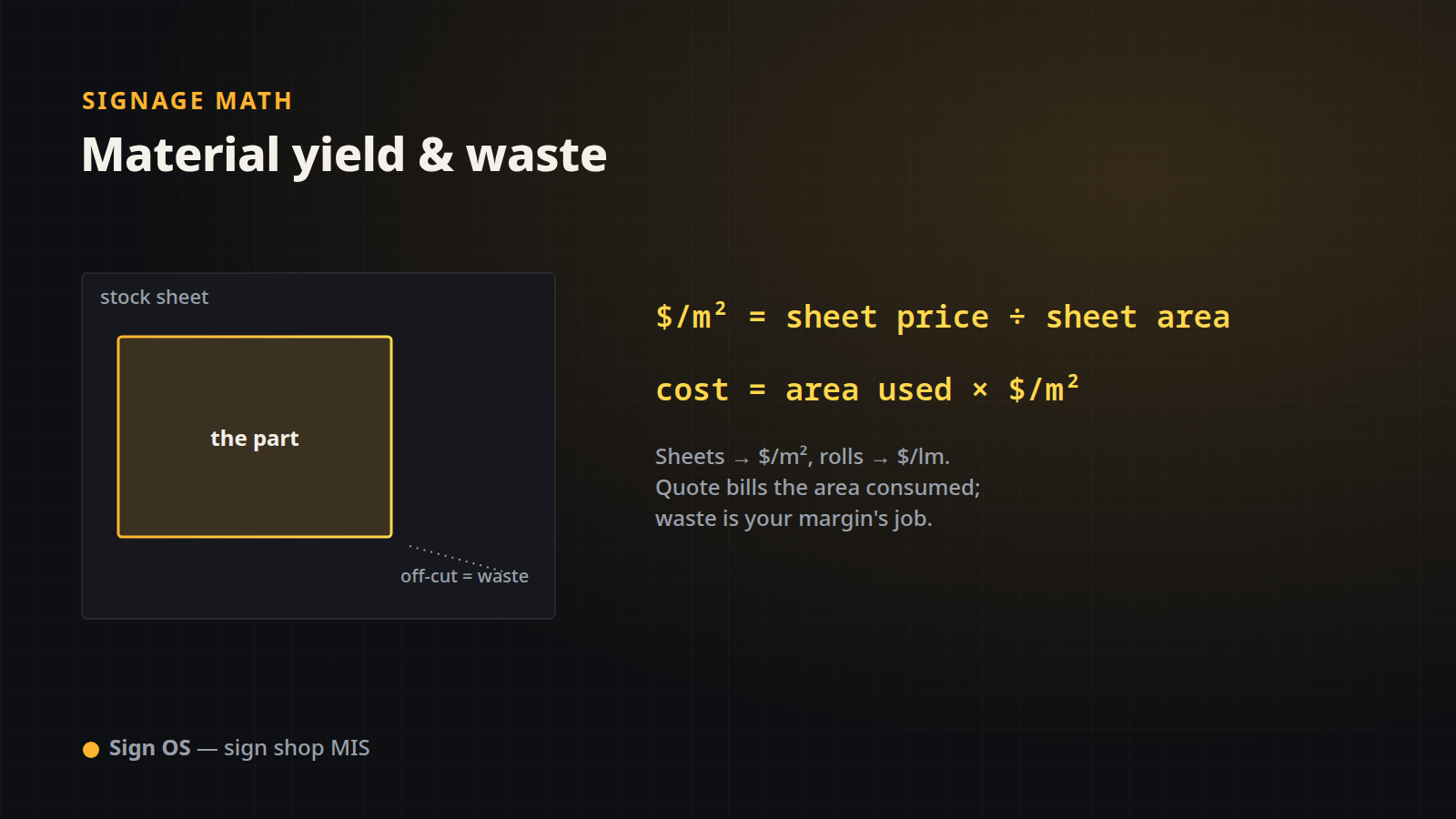
You buy substrate in sheets and vinyl in rolls, but you quote in square metres and linear metres. The bridge between those two worlds — sheet price to per-m² cost, roll price to per-lm cost, and where waste belongs — is where a lot of quotes silently lose money. Here is the exact math Sign OS uses.
Buy in sheets, cost in square metres
Sign OS stores a material the way you actually purchase it, then converts to a unit cost:
sheet area (m²) = (sheet_width_mm × sheet_depth_mm) ÷ 1,000,000
cost per m²     = sheet price ÷ sheet area
material cost   = area used (m²) × cost per m²
Take a 2440 × 1220 ACM sheet that costs $85.00:
| Step | Calculation | Result |
|---|---|---|
| Sheet area | 2440 × 1220 ÷ 1,000,000 | 2.9768 m² |
| Cost per m² | 85.00 ÷ 2.9768 | $28.55 /m² |
| Cost for a 2.88 m² sign | 2.88 × 28.55 | $82.22 |
The 2.88 m² comes straight from the geometry in The Math Behind a Signage Quote — the same area number drives the material line.
Buy in rolls, cost in metres (or square metres)
A roll is the same idea in one or two dimensions. A 1370 mm × 50 m print vinyl roll at $180.00 can be costed two ways depending on how the material is billed:
roll area (m²) = roll_width_m × roll_length_m
cost per lm    = roll price ÷ roll length
cost per m² = roll price ÷ roll area| Basis | Calculation | Rate |
|---|---|---|
| Per linear metre | 180.00 ÷ 50 | $3.60 /lm |
| Per square metre | 180.00 ÷ (1.37 × 50) | $2.63 /m² |
Which one you use depends on how the job consumes the roll — a full-width print bills per m², a cut stripe bills per lm.
How usage scales from the job
Each material line declares how it consumes the sign, and Sign OS reads the matching number from the job's dimensions:
- Covers the sign — face area (m²) of the run, for print, laminate, substrate.
- Per linear metre of edge — one sign's perimeter, or every sign's, for trim, rope, edging.
- Per linear metre of run — the longest side of every sign, for a fascia band or channel.
- Per item or per job — a fixed count that ignores dimensions, for a one-per-sign component or a one-off.
- Whole sheets — the sheets the job actually uses, offcuts included (below).
- Off a roll — the metres actually pulled off the roll (below).
- Ready-cut panel — the smallest listed size the sign fits on, for blanks you buy or cut in set sizes.
A line can also carry a multiplier — two coats of laminate is the same area billed twice. So a laminate line on our 2.88 m² sign, at two coats, bills 2.88 × 2 = 5.76 m² of film.
Where waste actually lives
Billing only the face area assumes the offcut goes on the next job. For a sign face it usually doesn't: a 1000 × 800 panel off a 2440 × 1220 sheet uses 0.8 m² and the other 2.18 m² goes on the rack. Sign OS gives you three ways to put that waste on the quote, and each one is a line you can see, not a fudge factor:
- Whole sheets. The engine lays the piece on the sheet the way the saw would, tries it both ways round, counts how many fit, and bills the sheets the run actually needs at the per-m² rate. Ten 1000 × 800 panels off 2440 × 1220 sheet fit three to a sheet turned sideways, so the line bills four sheets, 11.91 m², not 8 m². A piece too big for the sheet is flagged instead of quietly priced against material it can't be cut from.
- Off a roll. The same idea for roll media: lay the piece across the roll, count the rows, and bill the metres you actually pull. A 2440 × 1220 panel on a 1600 mm roll is 2.44 m off the roll, not the 1.86 m that area ÷ width gives you, because the 380 mm strip beside it is waste you've already paid for. Faces wider than the roll can be priced in drops.
- A waste percentage on the line. For everything else (weeding, misprints, test strips) a recipe line can carry its own waste %, shown on the line.
What it deliberately doesn't do is combine different pieces from different quote lines onto one sheet, or add saw kerf, bleed or a trim margin on its own. Real multi-line nesting needs the whole job at once, and guessing at it understates the cost of a one-off, which is the direction that loses money. If you want kerf or a margin, it goes in the recipe, where you can see it. You can still carry yield loss in your material markup instead (see Markup vs. Margin); the point is that the choice is yours and it's visible. Because Sign OS shows the quantity, the unit cost and the line total separately, you can always point at exactly why the material costs what it costs.
The payoff
Convert every sheet and roll to a per-m² or per-lm cost once, bill what the job really uses (face area, whole sheets or metres off the roll), and make waste an explicit, visible line — that is the whole substrate model. Pair it with:
- Machine and Labour Time: How Sign Costing Really Works to add the print, cut and fabrication time.
- Markup vs. Margin to turn the total cost into a price.
Sign OS is the sign shop MIS that keeps material costing honest — real areas, real unit costs, waste on your terms.