
Sign OS blog
Markup vs. Margin: the Sign Pricing Math Most Shops Get Wrong
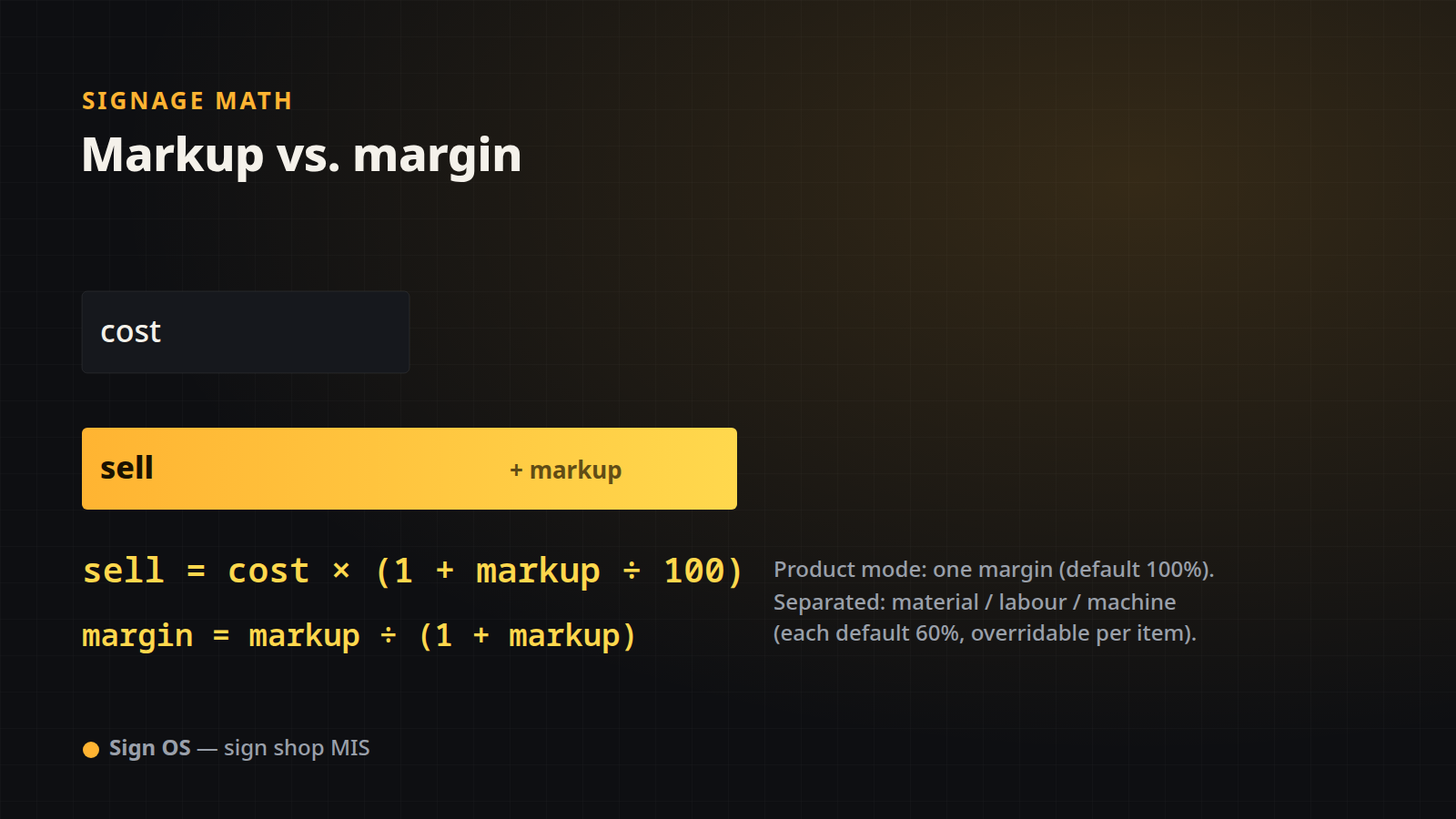
"We work on 50%." Fifty percent of what? This is the single most expensive ambiguity in sign shop pricing, because markup and margin are two different numbers and confusing them quietly erodes profit on every job. This post lays out the exact arithmetic Sign OS uses to turn a cost into a sell price, and how to read that percentage honestly.
The one formula everything hangs off
Every cost line in a Sign OS quote is priced the same way:
sell = cost × (1 + markup ÷ 100)A cost of $100 at a 60% markup sells for 100 × 1.60 = $160. That is a markup — a percentage added to cost. It is not the same as your gross margin, which is the profit as a percentage of the sell price:
gross margin (%) = (sell − cost) ÷ sell × 100
                 = markup ÷ (100 + markup) × 100
So a 60% markup is only a 37.5% margin (60 ÷ 160). If you thought "60%" meant 60% of the invoice was profit, you have been underpricing.
The conversion table to pin to the wall
| Markup you apply | Sell price per $100 cost | Actual gross margin |
|---|---|---|
| 50% | $150.00 | 33.3% |
| 60% | $160.00 | 37.5% |
| 100% | $200.00 | 50.0% |
| 150% | $250.00 | 60.0% |
| 233% | $333.00 | 70.0% |
To go the other way — you know the margin you want and need the markup to type in — use:
markup (%) = margin ÷ (100 − margin) × 100Want a true 50% margin? That is a 100% markup, not 50%.
The two ways Sign OS applies it
Sign OS gives a shop one setting to choose how markup is resolved, then applies the formula above automatically to every line:
- Product mode (simple). One number — your product margin — is applied to every cost line. The default is 100% (i.e. sell = 2 × cost, a true 50% margin). One dial, whole-shop.
- Separated mode (advanced). Four separate markups — material, outsourced work, labour and machine — each default to 60%. Materials might carry one markup, bought-in work another (the supplier has already taken their margin), your machine time a third, hand labour a fourth. Any single catalogue item or rate can override its bucket's default with a custom markup.
Because the markup is applied per line and the lines are then summed, a quote can carry a rich mix — 60% on the vinyl, 100% on the install labour — and still produce one clean total.
Worked example: the same job, two modes
A job costs you $100 in materials, machine time and labour combined.
| Mode | Calculation | Sell | Margin |
|---|---|---|---|
| Product, 100% | 100 × 2.00 | $200.00 | 50.0% |
| Separated, 60% | 100 × 1.60 | $160.00 | 37.5% |
Same cost, $40 difference in price — entirely down to which percentage you meant. This is why saying the number out loud as markup or margin matters.
The minimum charge floor
Some lines are too small to price on markup alone — a two-minute weld, a single cut. Sign OS lets a machine, a department or a single line carry a minimum charge. The rule is precise and worth understanding:
cost = max(calculated_cost, minimum_charge)
sell = cost × (1 + markup ÷ 100)
The minimum floors the cost first, and the markup is then applied on top. A $12 calculated cost with a $25 minimum becomes a $25 cost, then (at 60%) a $40 sell — not a flat $25. The floor protects you from giving away setup time; the markup still earns on it.
Flat charges sit outside the markup
One exception: a flat charge line (a fixed "$50 artwork fee", say) carries its sell amount directly and is not marked up by these rules — it is already a price, not a cost to mark up. Everything else flows through sell = cost × (1 + markup).
Price with your eyes open
The math here is simple, but the honesty is the point: a percentage only means something once you say whether it is markup or margin. Sign OS applies it the same way on every line, every quote, so the price you send is the price your chosen margin actually produces.
Keep going with the rest of the quoting engine:
- Where the cost comes from in the first place: The Math Behind a Signage Quote: Area, Perimeter and Units.
- Costing material off sheets and rolls: Material Yield and Waste: the Substrate Math.
- Costing machine and hand time: Machine and Labour Time: How Sign Costing Really Works.
Sign OS is the sign shop MIS that turns cost into a defensible price — and tells you the real margin behind it.