
Sign OS blog
Mastering Margins: How Sign OS Handles Complex Variations and Markups

Margin problems in a sign shop rarely come from one bad quote. They come from inconsistency: one estimator marks everything up 60%, another "knows" the customer and shaves it, and nobody applies the same logic to labour that they apply to vinyl. Multiply that by a year of quotes and the leak is invisible but real.
Sign OS makes markup a system setting, not a habit. Here's how the pricing engine actually handles it — from a single simple margin to per-line control on one-off custom work.
Two ways to price: pick the one that matches your shop
In Settings › Pricing, every shop chooses how it prices:
Product margin (easy). One margin percentage applied to the whole cost of the job. The engine calculates what each line truly costs — materials, labour, machine time — and applies your margin on top. Simple to reason about, impossible to forget, and a sane starting point for shops moving off spreadsheets.
Separated markups. Three independent markup percentages, one per cost bucket: materials & items, labour, and machine time. This reflects how experienced shops actually think — material with real supplier risk might carry a different markup than machine hours you've already paid for. Each bucket has a shop-wide default, and any individual stock item, labour profile or machine profile can carry its own custom markup that overrides the default.
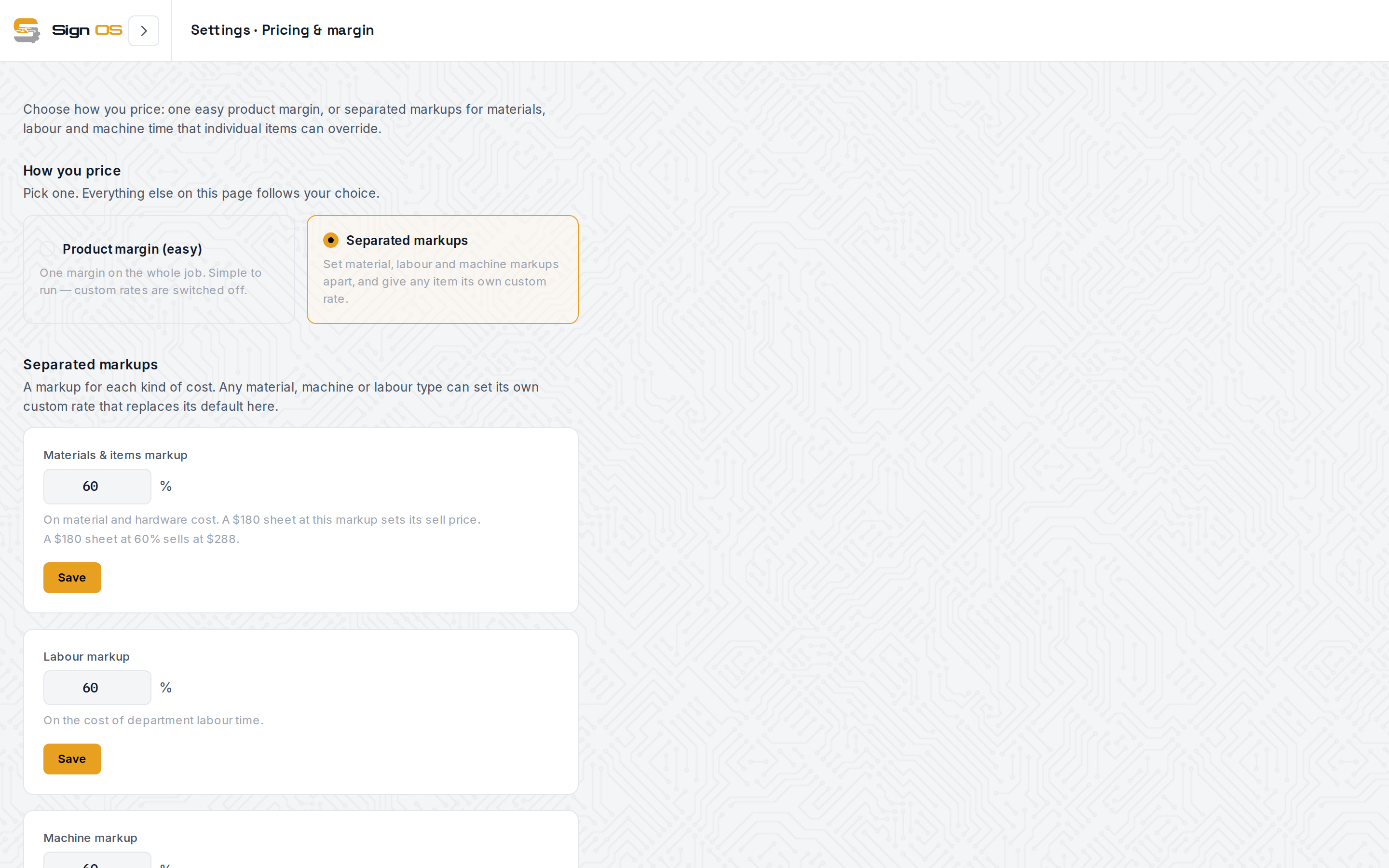
Whichever mode you pick, the arithmetic is deterministic: same inputs, same price, whoever builds the quote.
Cost first, markup second — never guesswork
Markup only means something if the cost underneath it is real. Every product in Sign OS is a recipe of process lines, and each line derives its cost from live data: material rates from your stock items and supplier quotes, machine profiles with hourly rates and throughput (square metres or lineal metres per hour), and department labour rates with setup costs.
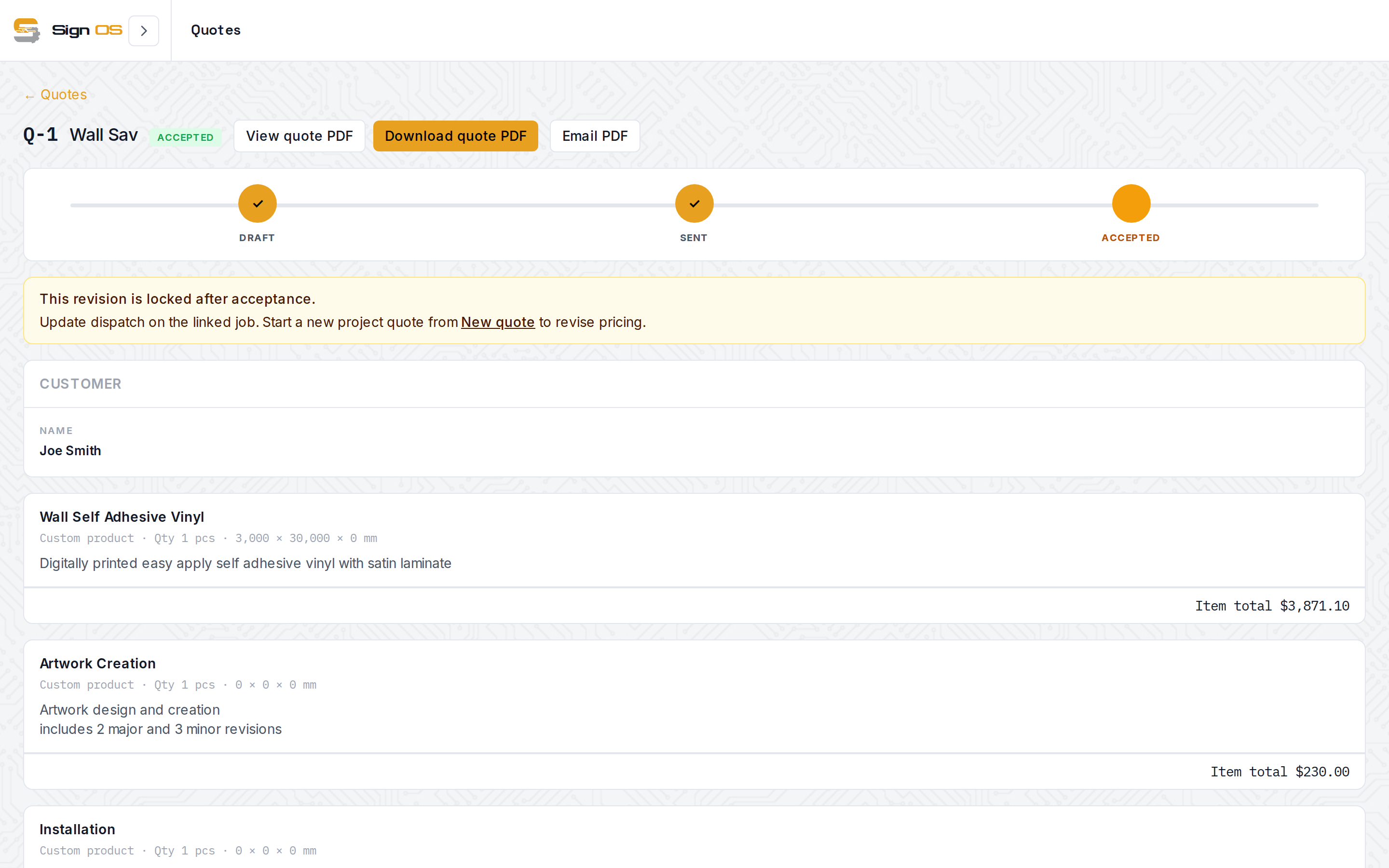
The engine evaluates the recipe with the quote's actual dimensions and quantity, produces a cost per line, then applies the right markup to each line based on your mode and any per-item overrides. The quote shows the line sell per item and the project total — and users with financial visibility also see the subtotal (cost), so the margin on every quote is explicit, not implied.
Variations that reprice themselves
Sign products are option-heavy: single or double sided, laminated or not, different substrates, different fixings. In Sign OS these are option boxes on the product — single-select or multi-select choices presented as chips on the quote line.
Options aren't cosmetic. Cost lines in the recipe can be gated behind an option: choose "Gloss laminate" and the laminate material line and the laminator's machine time enter the calculation; leave it off and they don't exist. Combine that with size profiles (quick-pick standard sizes) and dimension-driven formulas, and one product definition prices hundreds of real-world variations — each one carrying the correct markup on the correct cost buckets.
Materials with size-dependent pricing are handled too: a stock item can have multiple size variants, each with its own supplier quotes, and the engine costs from the variant actually selected.
Custom work: markup control down to the line
Not everything fits a template. A custom line in the Sign OS quote builder is a recipe built from scratch — material lines, parts, department labour, machine time, and fixed miscellaneous charges — and every line carries its own editable markup percentage.
That means the weird one-off job gets the same discipline as your catalogue: you can see "Uses 5 SQM fabric @ 60% markup" as a readable sentence, nudge the markup on the risky line, and watch the sell price update live as you type. Nothing is a lump-sum guess unless you choose to add one deliberately (and even a flat charge is its own visible line).
Customer-specific pricing, without touching your book rates
For VIP portal customers — trade accounts ordering through their own login — pricing groups apply a percentage or fixed adjustment on top of the engine's calculated price. Your recipes and markups stay untouched; the account-level deal is a separate, visible layer.
The margin after the job, not just before it
Quoted margin is a promise; delivered margin is a fact. On every job, Sign OS tracks a live production cost made of three buckets: labour (actual clocked minutes from the floor, at real hourly rates), materials (stock actually consumed, not just reserved), and committed purchase orders. Set against the invoice total, that gives you the job's real margin — so you learn which products, options and customers actually make money, and feed that back into next quarter's markups.
A worked example
Say a custom job needs 5 m² of vinyl at $12/m² ($60 cost) and two hours of labour at $40/hr ($80 cost). In separated mode with 60% markup on both buckets:
- Vinyl: $60 × 1.6 = $96
- Labour: $80 × 1.6 = $128
- Project total: $224 on $140 of cost — $84 of margin, visible before you hit send.
Change the labour markup on that one line to 80% because access is ugly, and the quote reads $240. The point isn't the numbers — it's that every dollar of margin was a decision you can see, repeat and defend.
Sign OS is built and operated in Australia — AUD plans, GST-aware invoicing, and a free 7-day trial with no card required.