
Set up purchase expense categories
Group purchase-order spend so it maps cleanly to your accounts.
What this is for
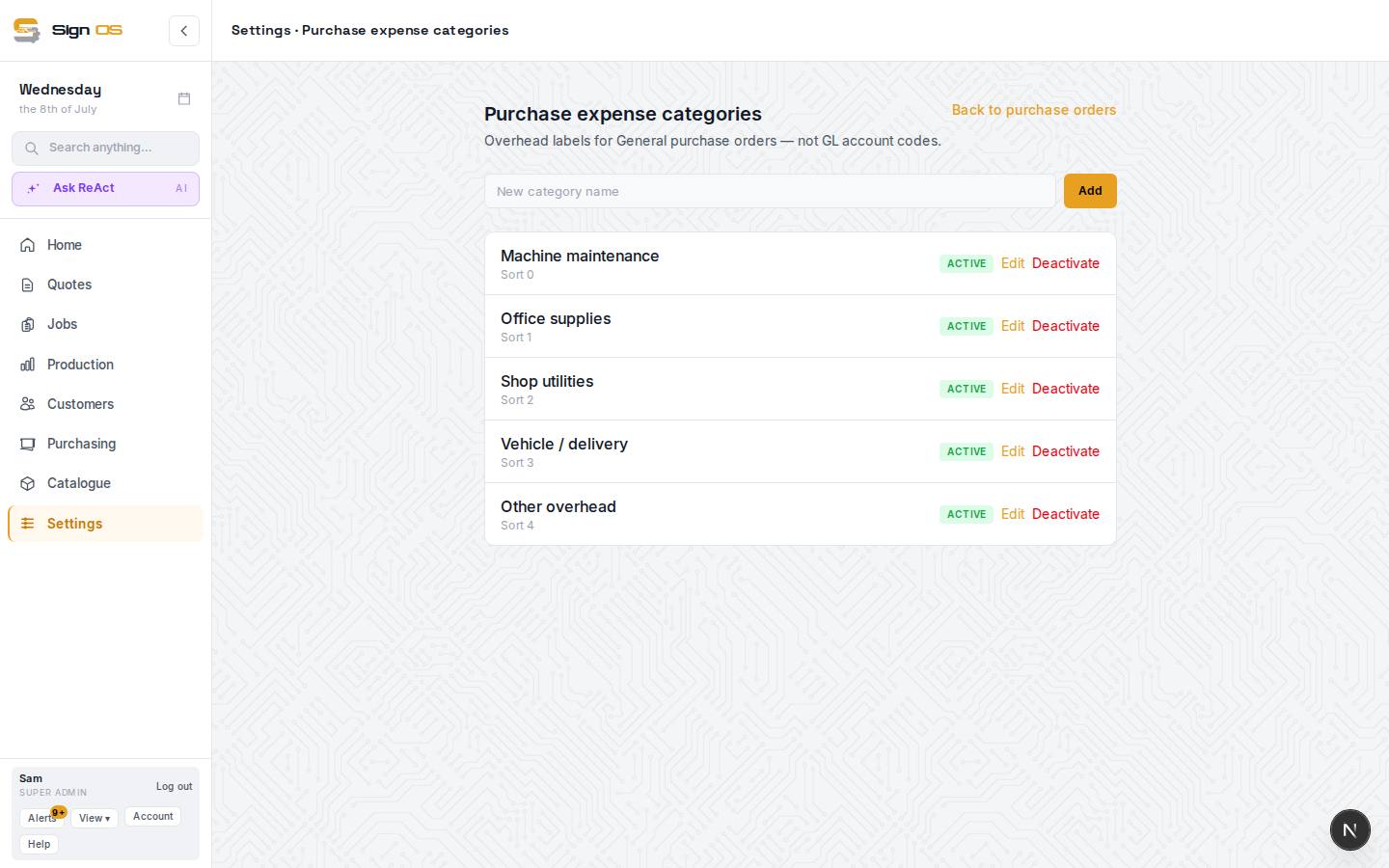
Expense categories are overhead labels for General purchase orders — materials, consumables, subcontract — so you can group and track what your buying is for. They are plain labels, not GL account codes.
Before you start
- You are signed in as an admin.
Step by step
- 1
Go to Settings → Purchase expense categories.
- 2
Type a category name in the "New category name" box and click Add. Repeat for each label you want.
- 3
Use Edit to rename or reorder a category, or Deactivate to retire one you no longer need.
Tips & gotchas
- Keep the list short and meaningful — a handful of categories you will actually use beats twenty you won't.