
Set up credit terms & pricing groups
Payment terms and customer pricing tiers you can reuse.
What this is for
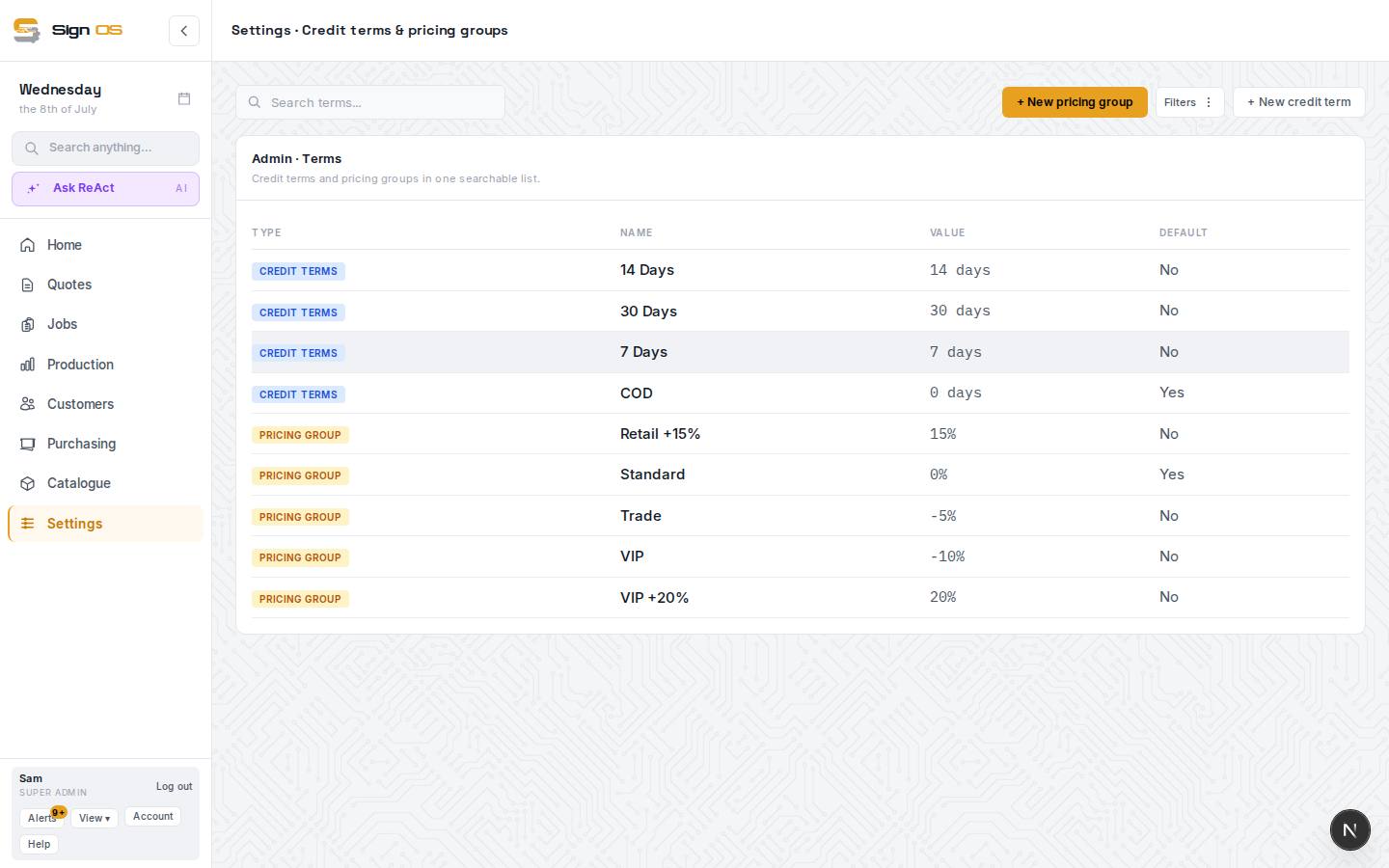
Credit terms set when a customer has to pay (e.g. 30 days). Pricing groups let you give a set of customers their own pricing — trade rates, a loyal-customer discount. Set them up once, then assign them to customers.
Before you start
- You are signed in as an admin.
Step by step
- 1
Go to Settings → Credit terms & pricing groups.
- 2
Click + New credit term, give it a Name and the number of Days to pay, then Create.
- 3
Click + New pricing group for any customers who should get different pricing — set a Name, an Adjustment type (percentage or fixed) and an Adjustment value, then Create.
- 4
You can now assign a term and a group to any customer from their record.
Tips & gotchas
- Assign terms and groups on the customer, not the quote — every new quote for that customer then inherits them.