
Add hardware & items
Discrete parts like fixings, LEDs and standoffs, priced each.
What this is for
Items are the countable parts that go into a job — fixings, standoffs, LED modules, power supplies. Unlike materials (bought by the sheet or roll), items are priced each, so recipes can add exactly the number a job needs.
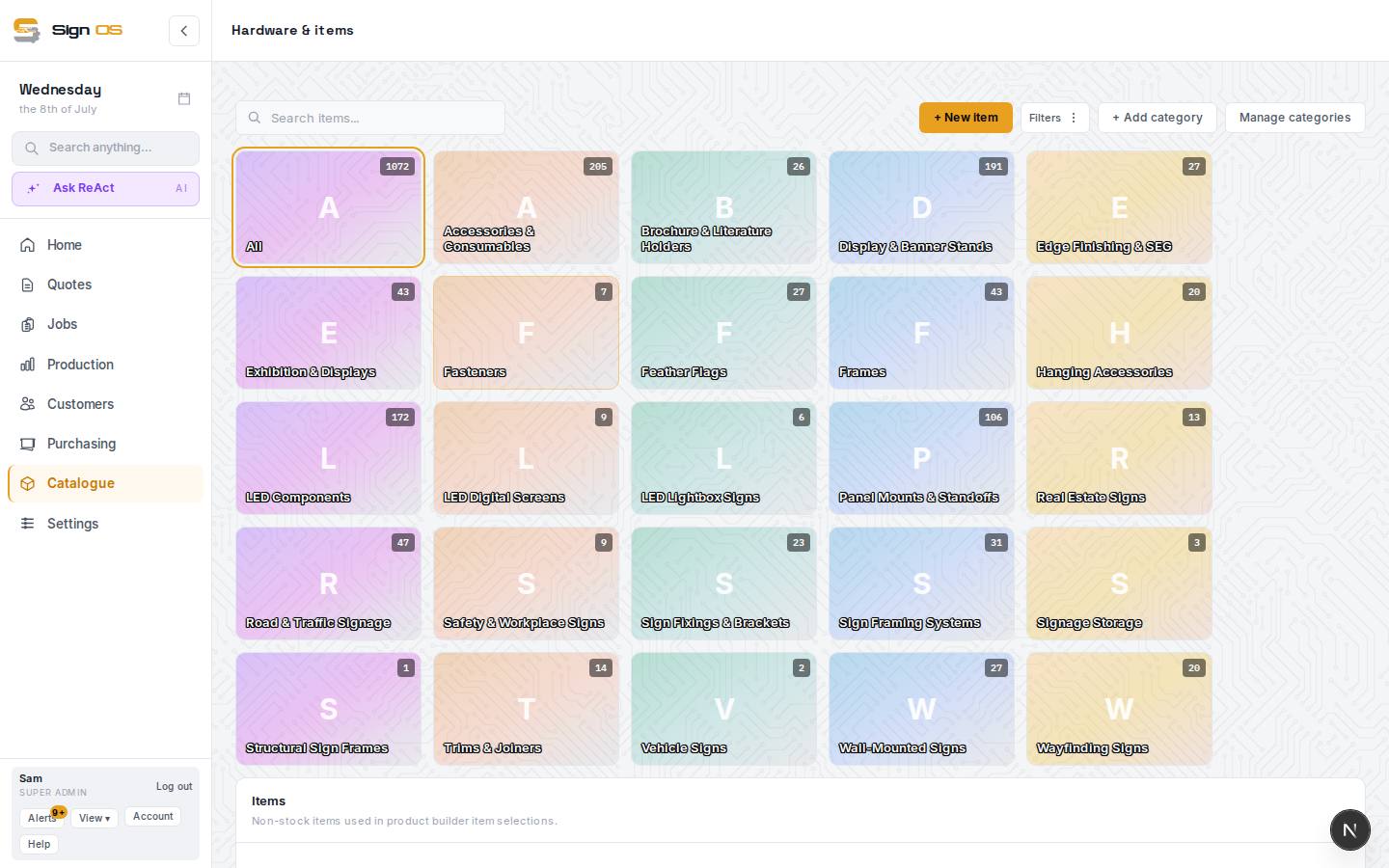
What is on this screen
Each part of the screen above, top to bottom, and what changing it affects.
Items list
- + New item
- A counted part — fixings, standoffs, LED modules — with a Name, unit and Default cost.
- + Add category · Manage categories · tiles
- Group items; the tiles filter.
- Name · Category · Supplier · Inventory · Basic rate
- Basic rate is the default cost per unit. Click a row to edit.
Inside an item
- Details
- Name, category, cost per unit, sell unit.
- Inventory & suppliers
- Quantity on hand, reorder level, and the Default supplier so it can go on a purchase order.
Step by step
- 1
Open Catalogue → Hardware & items from the sidebar.
- 2
Click + New item, give it a Name, pick its unit, and set its Default cost (what one unit costs you).
- 3
On the Inventory & suppliers tab, set a Default supplier if you want it available for purchase orders.
- 4
Save. Recipes and quotes can now include this item by quantity.
Tips & gotchas
- Use items for things you count and materials for things you measure — it keeps your costing clean.