
Merge duplicate customers
Join two records for the same customer into one.
What this is for
Duplicates split a customer's trading history and quietly defeat credit control — a hold on one record does nothing about the other. Merging moves everything onto the record you keep, and old links still work.
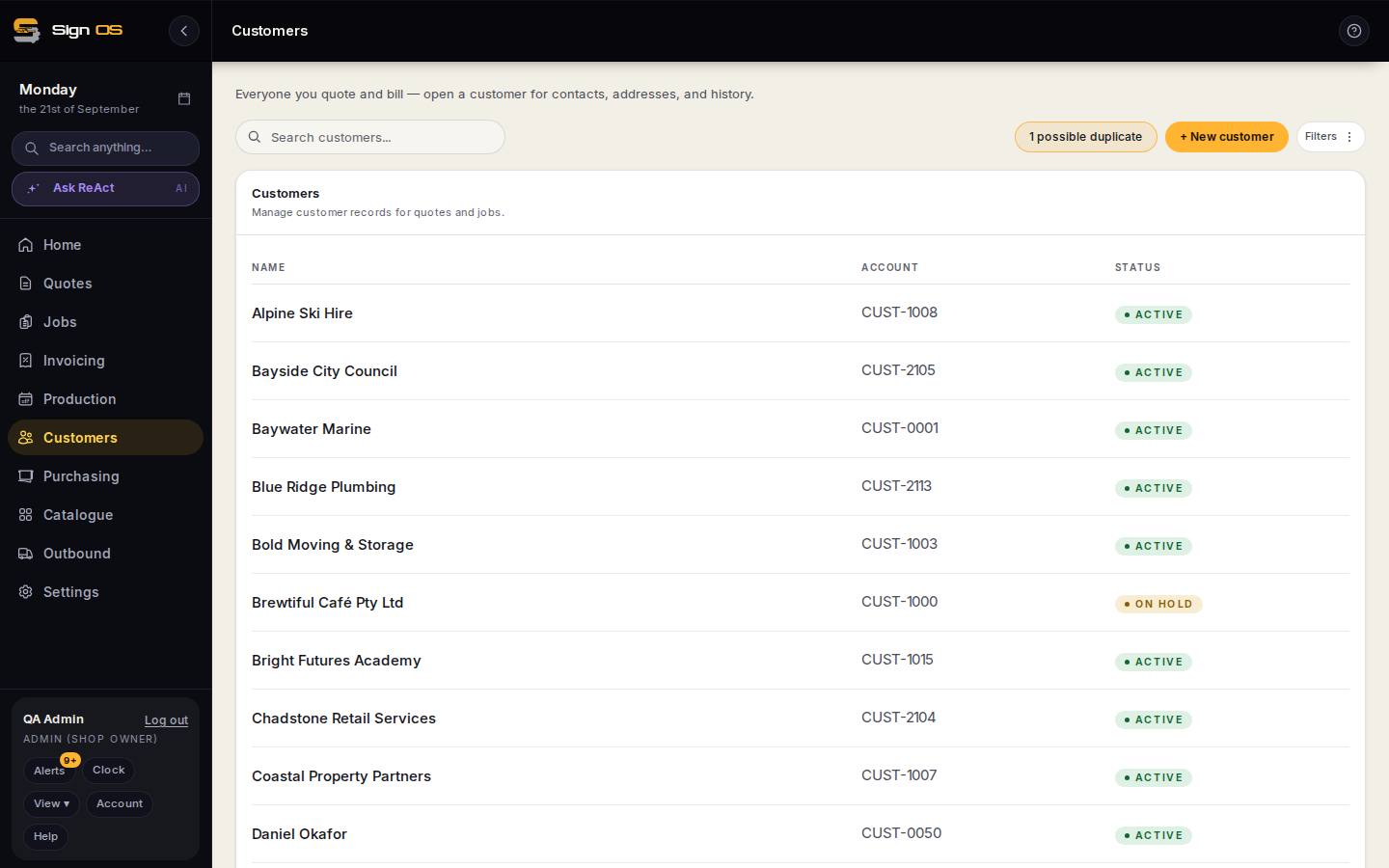
What is on this screen
Each part of the screen above, top to bottom, and what changing it affects.
- Possible duplicates banner (Customers list)
- The pairs Sign OS thinks are the same.
- Which record to keep · which name and account number survive
- Everything else moves to it.
- Counts of what will move · type the surviving name · Merge
- Quotes, jobs, invoices, contacts and addresses that will move, and the confirmation.
Step by step
- 1
On the Customers list, open the Possible duplicates banner.
- 2
Check each pair and choose which record to keep.
- 3
Read the counts of what will move, choose which name and account number survive, then type the surviving customer's name to confirm.
Tips & gotchas
- Check the counts before confirming. "47 quotes" against a record you thought was empty means you've got the wrong pair.
- Both email addresses and both phone numbers are kept. The record keeps one of each, and the second becomes a contact on the same customer.
- You are only asked about things a customer can have one of, such as the name or the account number.
- If either record is on hold, the merged record stays on hold.
- Merging can't be undone. Old links to the merged record redirect to the one you kept.